




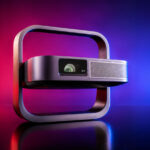
A quick reminder: I am not paid to carry out these reviews. If this review has convinced you, you can support me by purchasing products through my links.
Purchase from the official website: XGIMI Elfin Flip Laser / xgimi.com
Promo code
I have obtained an exclusive €80 discount on this projector until 31 July 2026 (price: €719 instead of €799). This official discount is only valid on the xgimi.com website.To activate the promotion:
Activate the promotion (you will be redirected to the XGIMI homepage and the discount will appear in your basket)
Then add the product to your basket:
View the XGIMI Elfin Flip Laser / xgimi.com
Timeline
15 July: I received the XGIMI Elfin Flip 4K and the XGIMI Elfin Flip Laser on the same day, so I will be testing them at the same time. The review will probably take around two weeks. If the review is not yet complete when you visit this page, feel free to ask your questions in the comments section.Unboxing
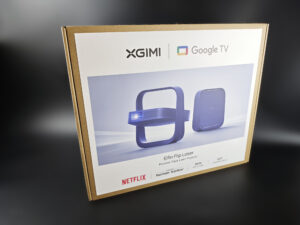
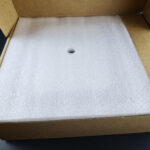
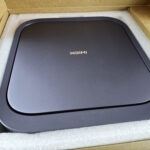
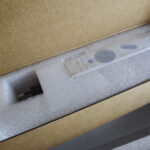
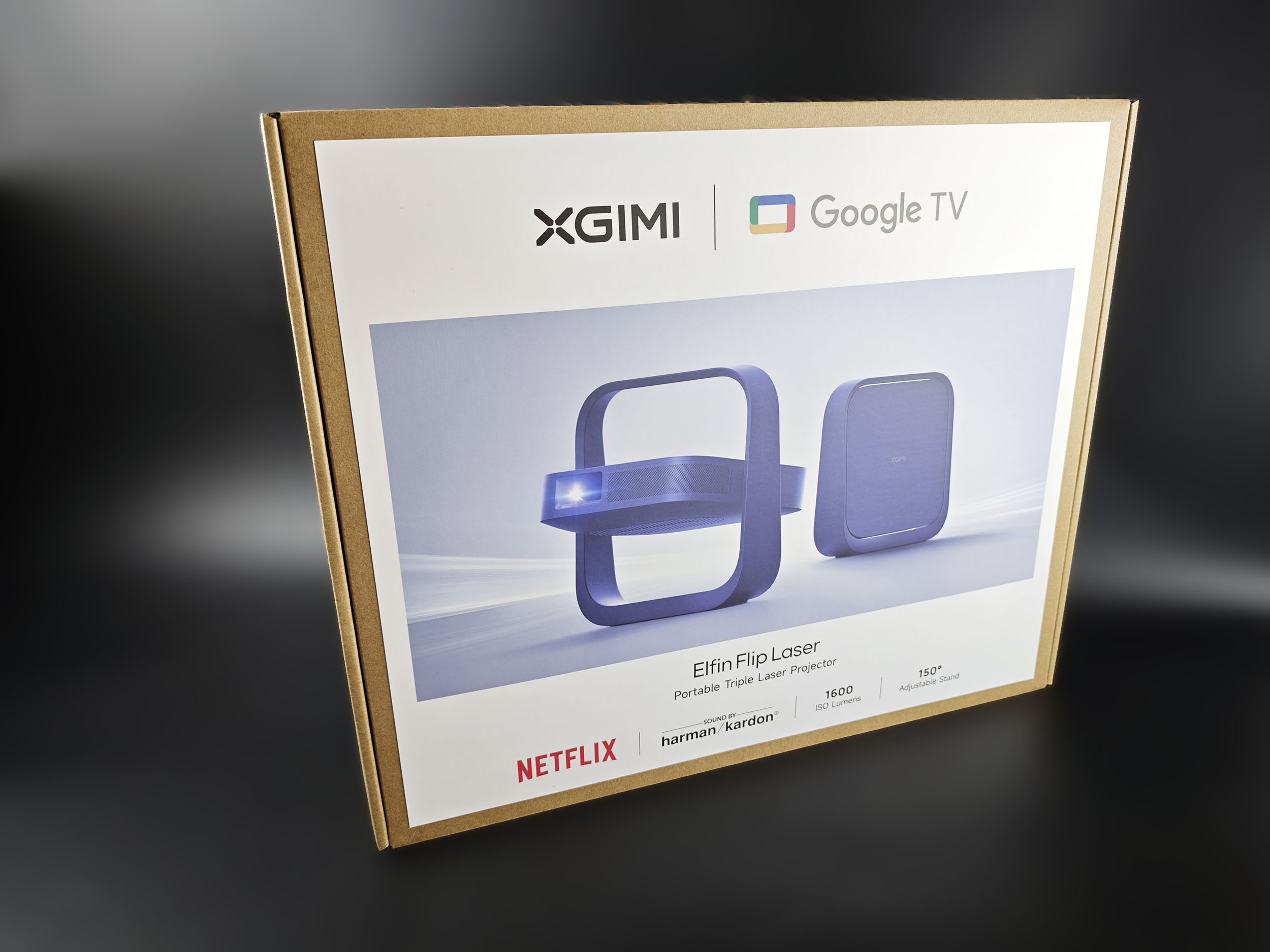
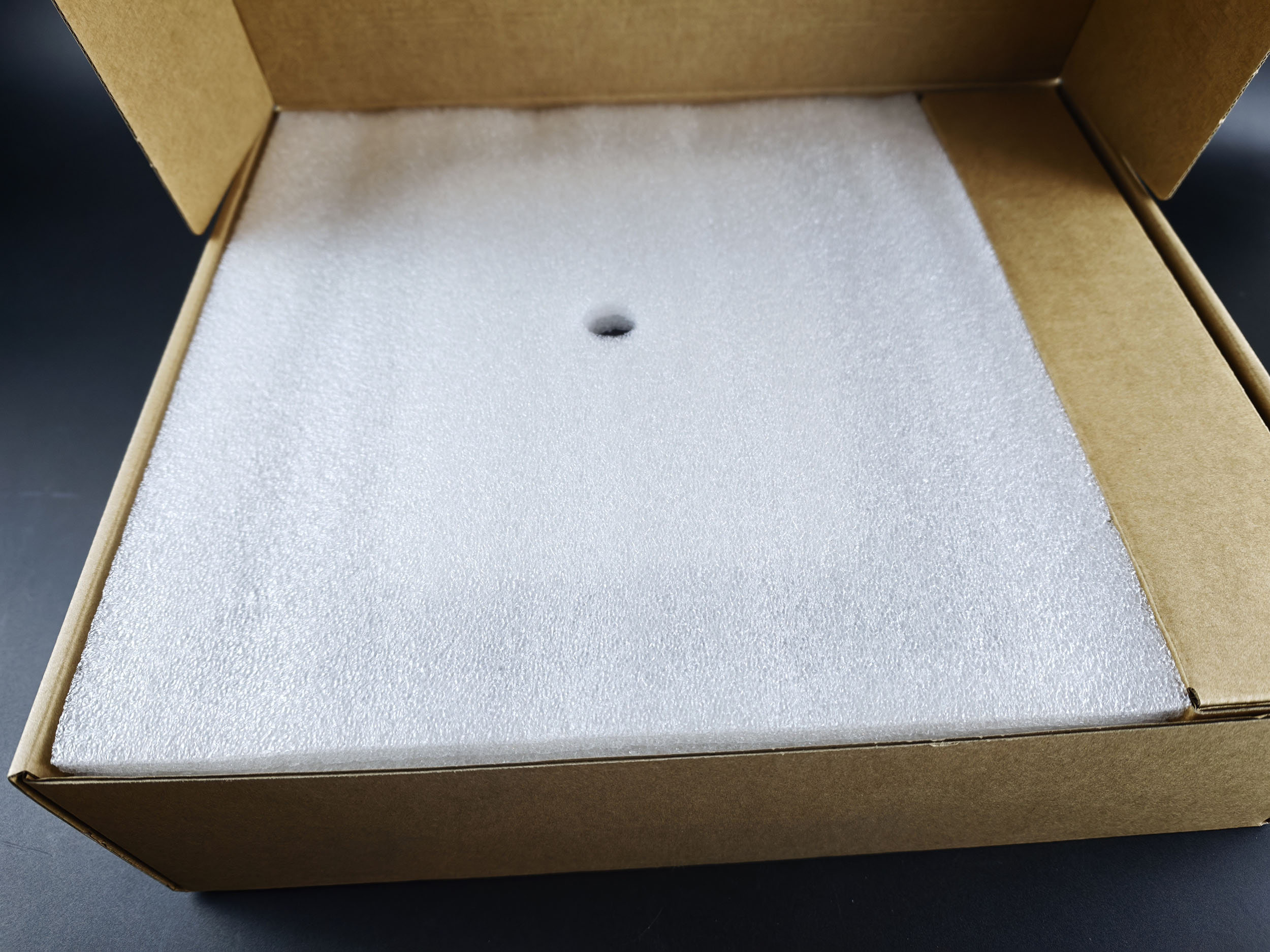
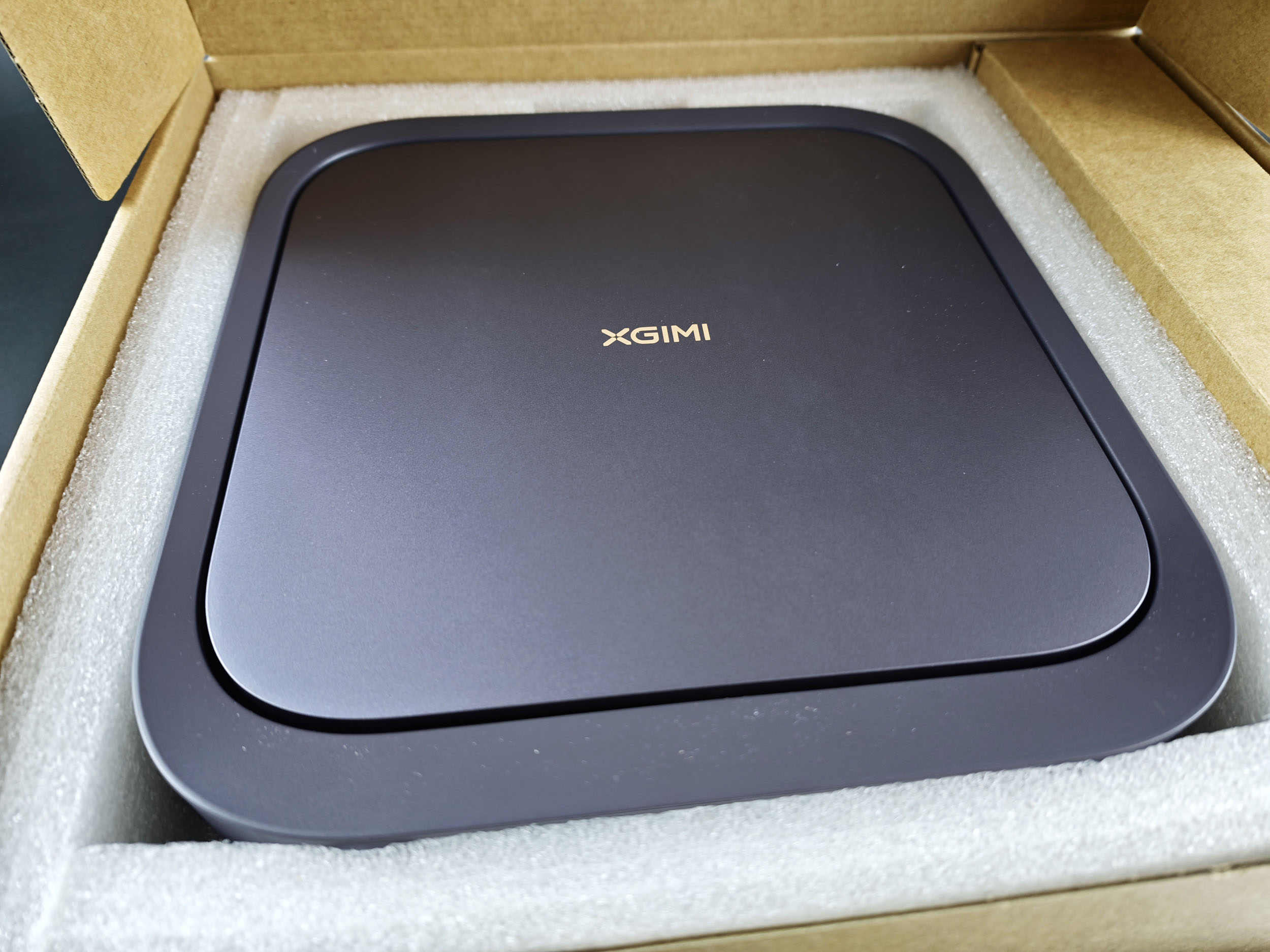
The XGIMI Elfin Flip Laser box looks very basic, and the difference compared with the packaging of the 4K model is quite obvious:
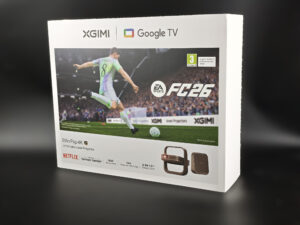
Unfortunately, this cardboard box makes the projector look like a lower-end product, even though the difference between the two models is not particularly significant. I do not usually attach much importance to packaging design, but because I received both projectors at the same time, the contrast was quite striking.
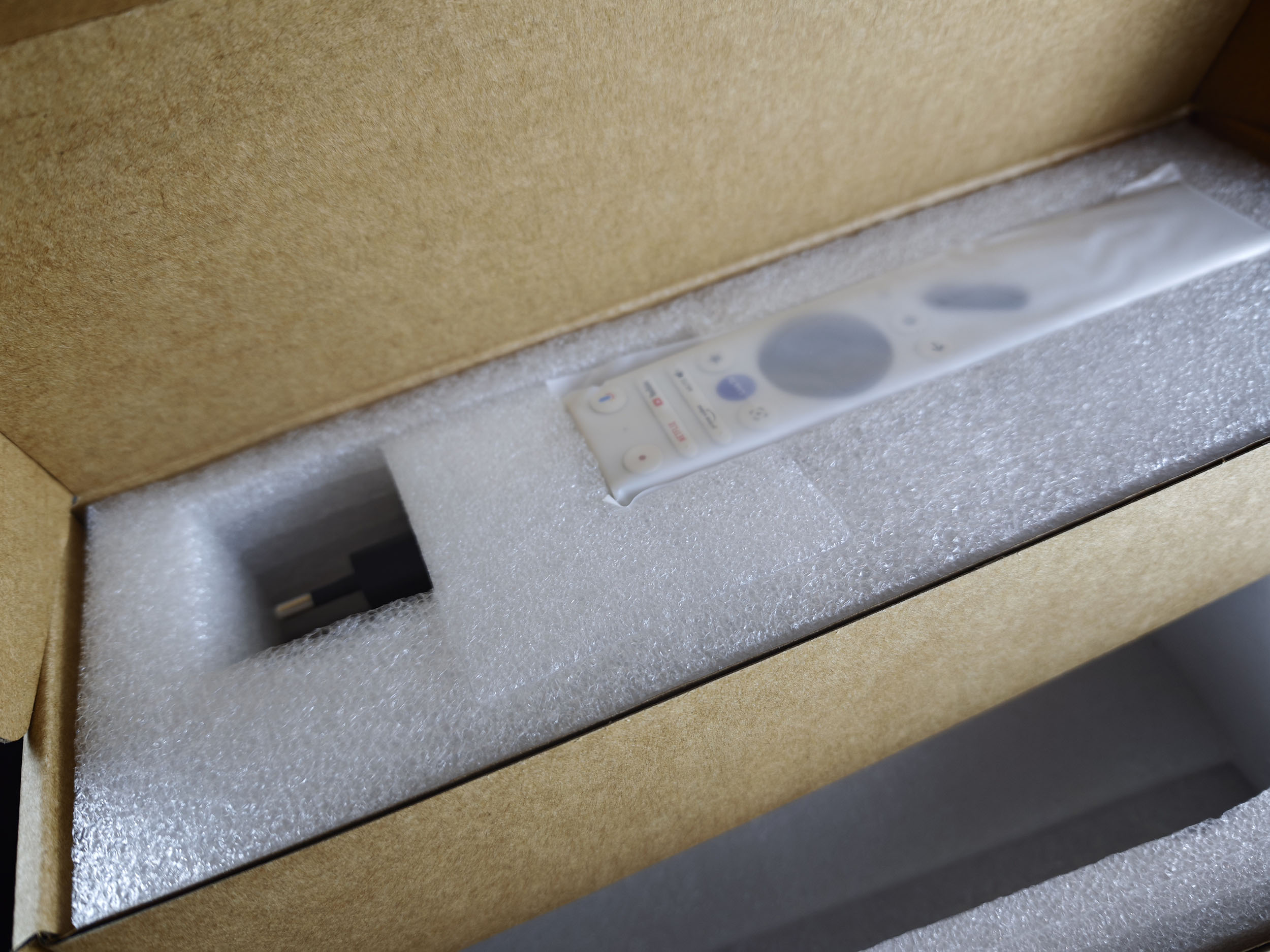
The box contains the projector protected by a thick layer of foam, the remote control, two AAA batteries, a power supply and a manual.
Operating system
This projector runs on Google TV. It is a return to square one because XGIMI had installed a restricted version of Google TV in the previous generation. The brand has now reversed that decision and is offering the complete version. Google TV therefore gives you access to all the usual streaming applications as well as thousands of apps from the Play Store.Build quality
The XGIMI Elfin Flip Laser has exactly the same shape and dimensions as the 4K version. It measures just over 25 cm by 24 cm, with a thickness of 78 mm, and in this position it could easily be mistaken for a modem or router. Its colour sets it apart from the 4K model:
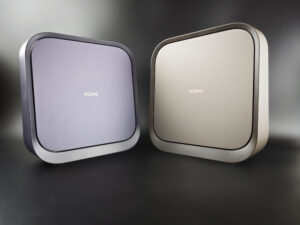
This is the first time I have seen this colour on an XGIMI product, and I think the choice works quite well. The casing is made of plastic, but as with the brand's other products, the finish is impeccable.
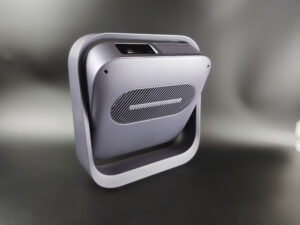
The projector is mounted on a stand that allows it to be tilted upwards and downwards (the base itself is fixed). This gives you considerable flexibility in terms of orientation, limited only by the stand, as shown in the photo. You will not be able to project vertically at a 90° angle because the stand does not allow it, but the projector will work in both an upright and an inverted position.
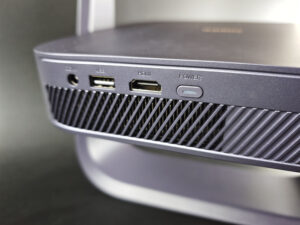
At the rear, connectivity is limited to one USB port, one HDMI port and a headphone output. The 4K model has two USB ports and two HDMI ports. The projector uses a proprietary power supply. I think it is a shame that XGIMI did not opt for USB power, as this would have made it possible to use the projector with a battery.
The rear grille allows excess heat to escape from the projector, while air is drawn in through the grille underneath the unit.
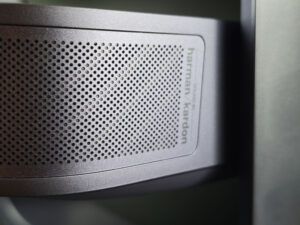
Sound is projected forwards through a 7-watt Harman Kardon speaker. This setup is not going to shake the room, but that is fairly understandable for a projector of this type.
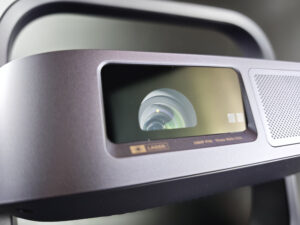
The optical block looks quite similar to the previous generation, but the major difference is that the light source is now a triple-laser system. This is the first time the Elfin range has used this type of light source. Why is that important? A triple-laser source can cover a wider colour space, allowing formats such as HDR to take fuller advantage of the available colours. Unlike the 4K version, the optical block does not include an optical zoom. That is the first difference, and there is another one behind the lens assembly. This model uses a 0.23-inch DMD chip, compared with a 0.39-inch DMD chip in the 4K version.
What does that mean? A DMD is made up of microscopic mirrors that generate the final image. A smaller chip means that the image will be less sharp on a large screen. Resolution is another important point. This chip is capable of displaying a Full HD (1080p) image, but it does so by superimposing images. This may also reduce the amount of visible detail on certain screen sizes. I am deliberately using the conditional here because, as I am testing both projectors at the same time, I will be able to show side-by-side images and determine whether there is a genuine difference.
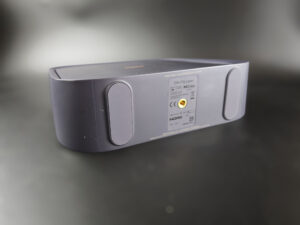
If you want to install the projector on a tripod, you can use the standard threaded mount located underneath the stand. Given the projector's low weight of 1.5 kg, you will not need a professional tripod to support it.
From this initial overview, I can already identify several differences between this model and the 4K version:
- 0.23-inch DMD chip instead of a 0.39-inch DMD chip
- no optical zoom
- only one USB port and one HDMI port
Power consumption
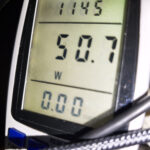
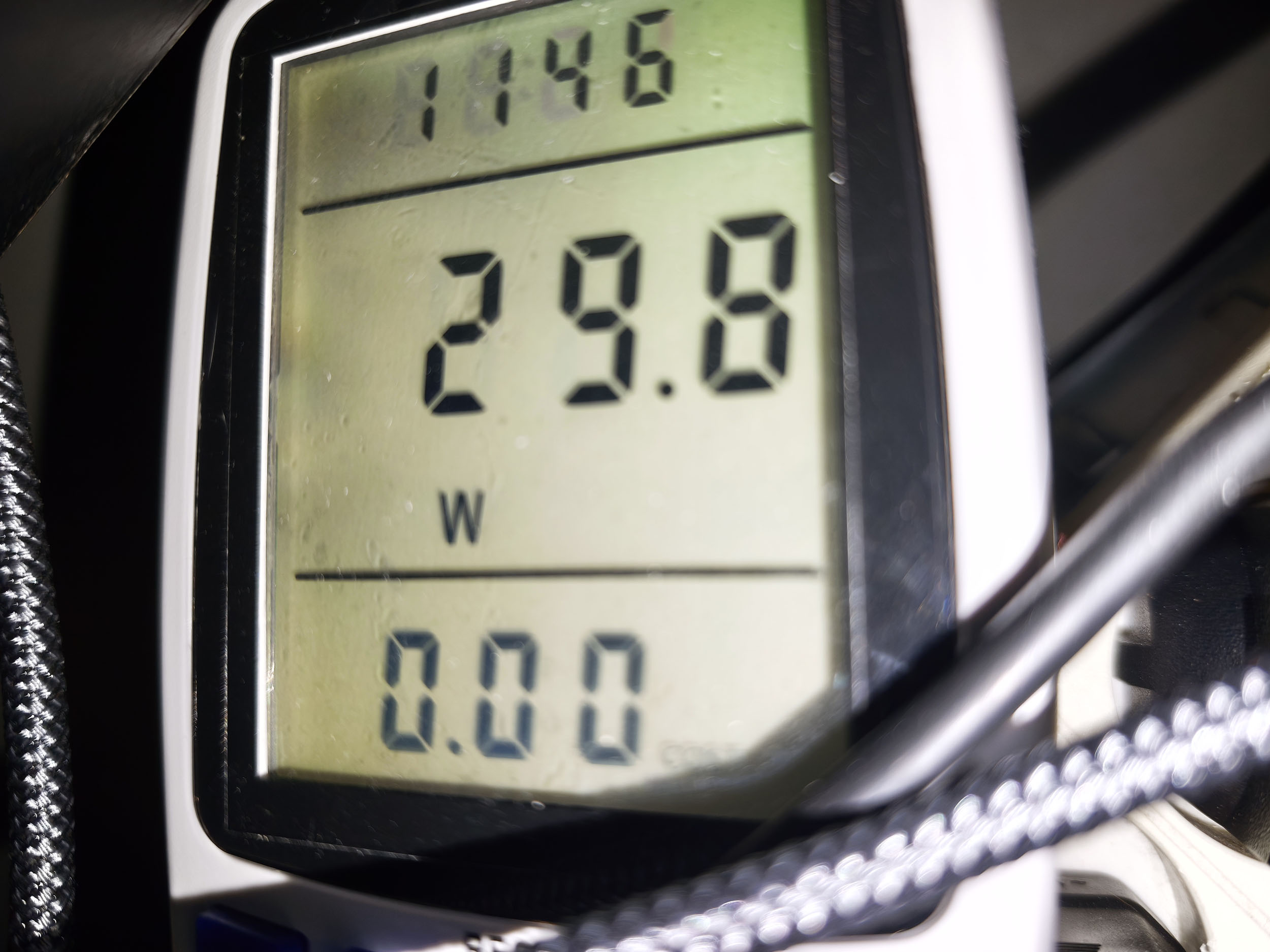
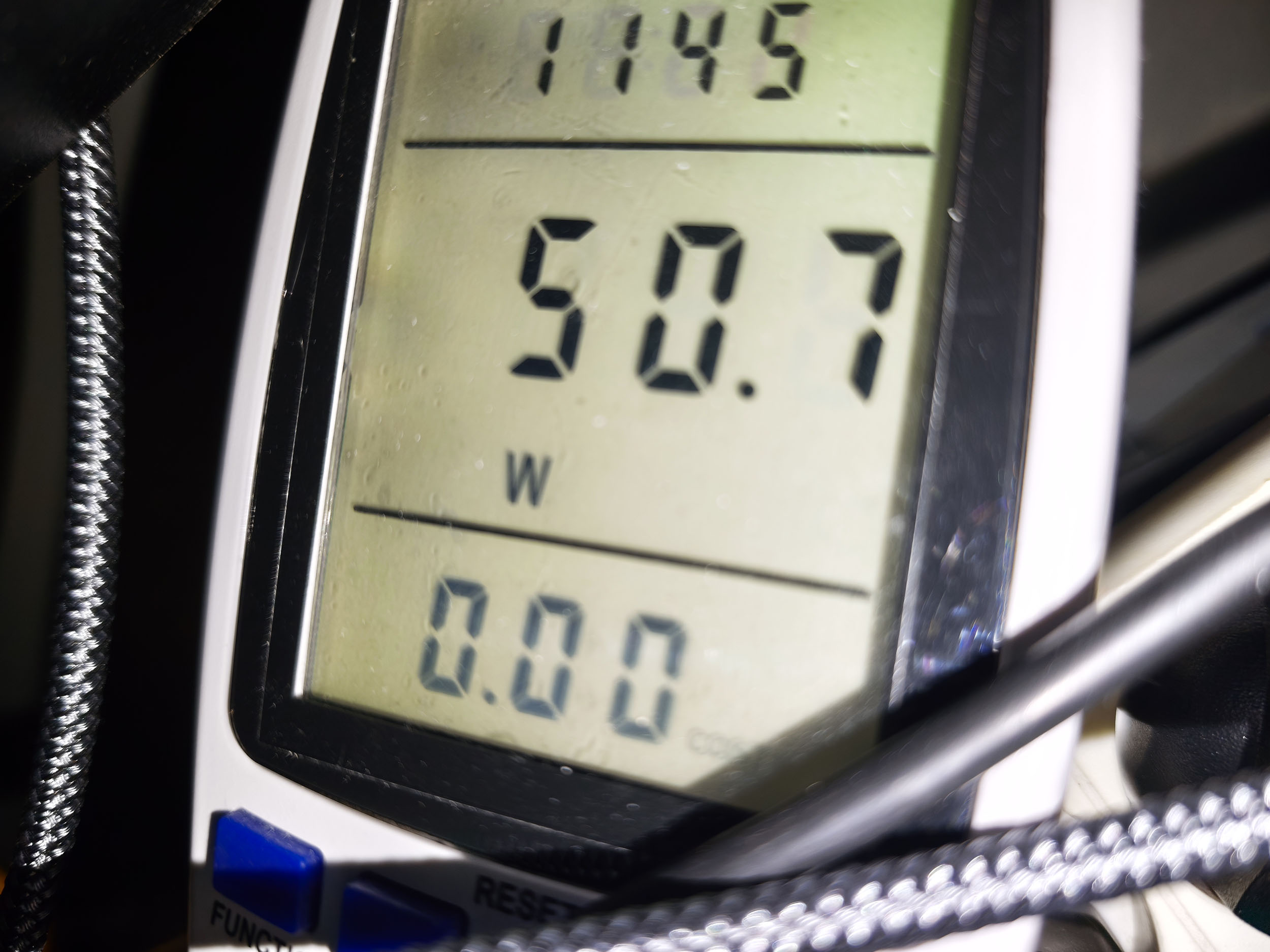
I measured power consumption at just under 30 watts with the laser set to level 1 and just over 50 watts at level 10. This is fairly low and means you can use the projector extensively without worrying too much about your electricity bill. This entry-level model consumes around ten watts less than the 4K version, which also confirms that it is slightly less bright.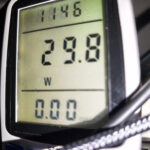
Operating noise
I measured an operating noise level of 41 dB close to the projector and 38.6 dB at a distance of one metre. The projector is therefore very quiet, and you will only hear a faint hum if you are sitting very close to it. If you use the “Vivid” mode, the projector becomes slightly more audible because the ventilation system runs more aggressively in this configuration.
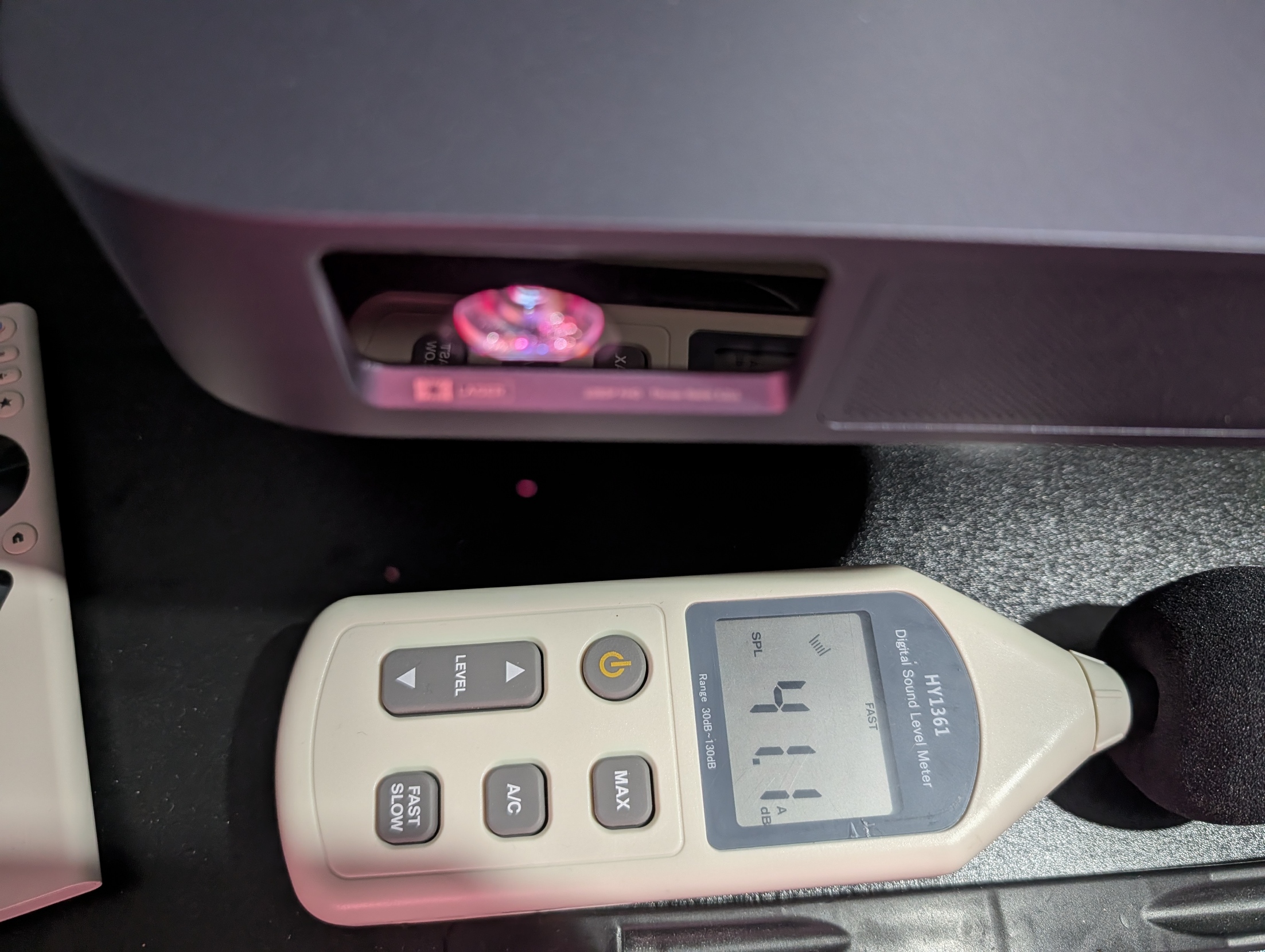
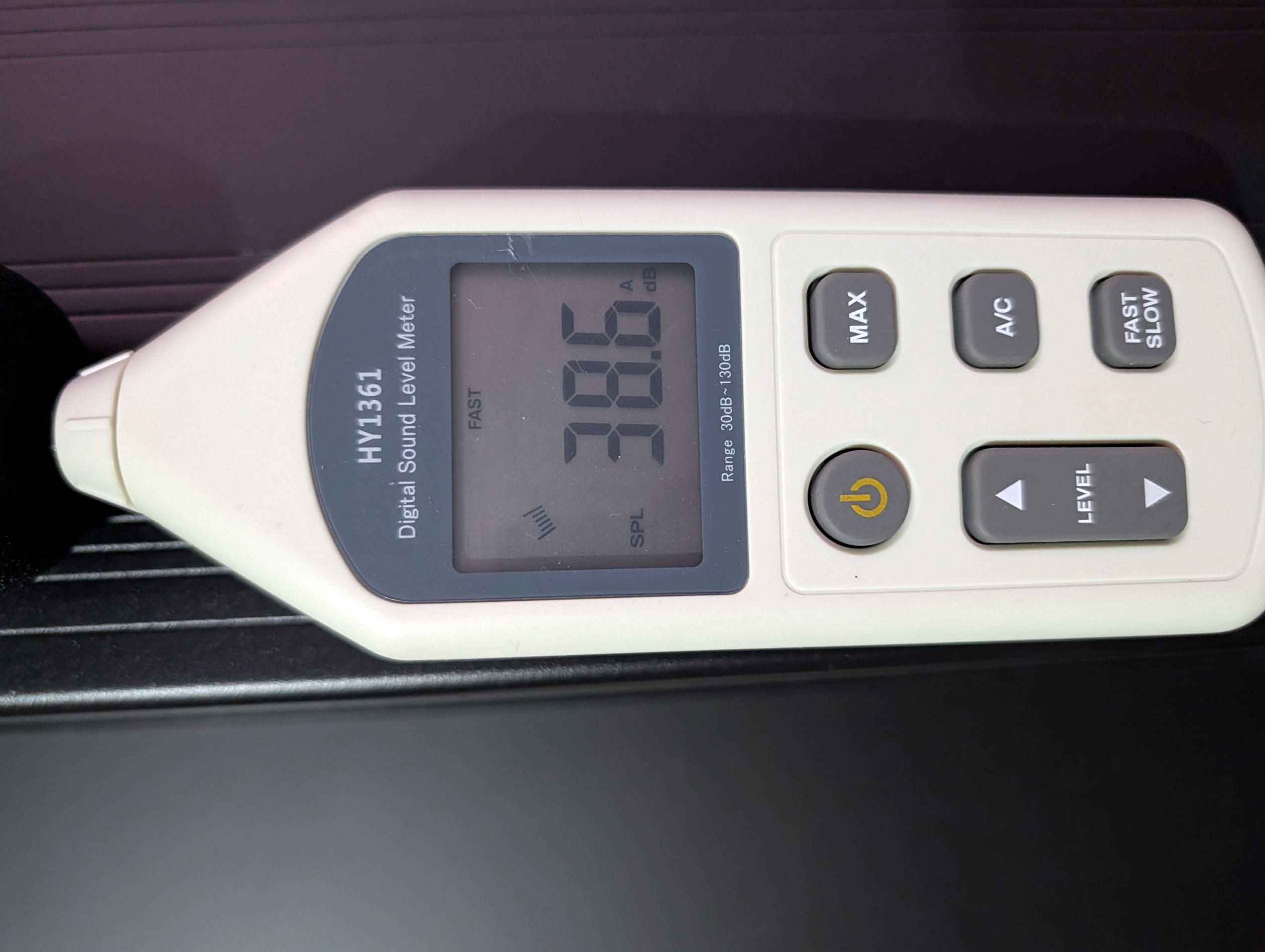
Image quality
Colour accuracyMore information about colour accuracy
Measuring colour accuracy is not a subjective matter; it is something that can be measured objectively. The measurement is carried out with a device such as a colorimeter or spectrometer, which measures the difference between the reference colour and the colour displayed. This difference is expressed as Delta E, abbreviated as dE. A dE value above 3 indicates a deviation that is visible to the human eye.
The dE value should therefore be as low as possible, but projectors rarely achieve a dE below 3 straight out of the box. They are often between 5 and 10, and proper calibration is the only way to correct the colours accurately.
For perfect calibration, you should use a professional service. I am sharing the settings that work in my own environment. They may also work in yours, but there is no guarantee, so they should be treated as a general indication of the direction to follow.
I measured colour accuracy in SDR and obtained the following results:
| Mode | White | Red | Green | Blue | Yellow | Cyan | Magenta | Average Delta E |
|---|---|---|---|---|---|---|---|---|
| Standard | 6,36 | 2,40 | 1,79 | 3,16 | 3,93 | 0,95 | 5,18 | 2,90 |
| Movie | 5,46 | 3,34 | 3,57 | 0,62 | 3,39 | 5,60 | 0,62 | 2,86 |
| Sports | 13,80 | 4,64 | 1,82 | 4,52 | 8,04 | 5,95 | 6,81 | 5,30 |
| Game | 13,72 | 4,24 | 1,80 | 4,45 | 8,07 | 5,73 | 6,74 | 5,17 |
| Vivid | 13,99 | 4,19 | 1,38 | 2,09 | 8,37 | 4,81 | 5,17 | 4,33 |
To obtain better colour accuracy, you need to make a few changes to the settings, starting from the “Movie” mode. In the two-point white balance settings, reduce the red gain to 37 and increase both green and blue to 54. As usual, you may need to reduce green slightly if you are using a perfectly neutral screen.
I carried out the same measurements in HDR:
| HDR mode | White | Red | Green | Blue | Yellow | Cyan | Magenta | Average Delta E |
|---|---|---|---|---|---|---|---|---|
| Movie | 8,07 | 1,33 | 2,51 | 2,11 | 2,23 | 3,20 | 0,40 | 1,96 |
| Vivid | 7,37 | 1,62 | 4,93 | 6,50 | 2,82 | 8,20 | 5,11 | 4,86 |
| Standard | 13,45 | 4,48 | 1,87 | 5,23 | 8,48 | 10,79 | 6,48 | 6,22 |
| Sports | 14,02 | 4,45 | 1,88 | 5,13 | 8,75 | 10,71 | 6,49 | 6,23 |
| Game | 14,86 | 4,77 | 1,83 | 5,46 | 9,53 | 10,73 | 6,62 | 6,49 |
In both cases, the projector is fully capable of covering the Rec. 709 and Rec. 2020 colour spaces. In this price range, the XGIMI Elfin Flip Laser is probably one of the least expensive triple-laser projectors to offer colour accuracy of this standard. I previously tested the Xiaomi Laser Projector 3, which sits in the same price range, but I was unable to achieve colours as accurate as those produced by the XGIMI. This is therefore an excellent result for the new Elfin Flip.
With the Horizon 20 generation and the Titan Noir, XGIMI managed to produce HDR images with exceptional brightness. These projectors can reproduce content mastered at up to 10,000 nits, and nothing currently does better. I was not expecting much from this projector because it is a portable model, and yet it can handle content mastered at 1,000 nits, with a visible loss of detail only at around 1,500 nits. That is an excellent result for a portable projector, and it is probably the only model currently capable of doing this, together with the 4K version.
Brightness
More information about brightness
Brightness is absolutely crucial for a projector. It is measured in ANSI lumens, and the values provided by manufacturers are very often higher than the real-world results.
I measure brightness with a lux meter and convert the measurements into ANSI lumens based on the projected surface area. This provides a realistic value.
Even a bright projector cannot compete with a television. Any additional natural or artificial light will drastically reduce the contrast of the image. With brightness below 1,000 ANSI lumens, the projector needs to be used in complete darkness.
This projector uses an RGB laser source like the 4K model. The following graph shows the spectral distribution of white:
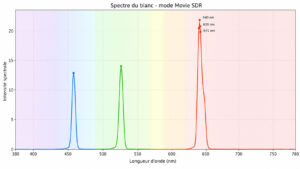
The red laser is clearly dominant, which gives the image a slightly warm appearance in “Movie” mode.
If I compare this curve with that of the XGIMI Elfin Flip 4K:
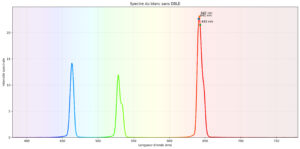
I can see a slight difference in the proportion of green, but the overall balance remains similar.
This is therefore a genuine RGB laser projector, which is still quite rare in this price range.
I then measured brightness in every picture mode and at every laser level, with the following results:
| Mode | Laser 1 | Laser 2 | Laser 3 | Laser 4 | Laser 5 | Laser 6 | Laser 7 | Laser 8 | Laser 9 | Laser 10 |
|---|---|---|---|---|---|---|---|---|---|---|
| Standard | 141 lm | 229 lm | 314 lm | 395 lm | 474 lm | 546 lm | 612 lm | 672 lm | 731 lm | 741 lm |
| Movie | 113 lm | 182 lm | 251 lm | 317 lm | 380 lm | 439 lm | 496 lm | 546 lm | 593 lm | 637 lm |
| Vivid | 138 lm | 229 lm | 311 lm | 392 lm | 471 lm | 546 lm | 612 lm | 672 lm | 728 lm | 741 lm |
| Game | 116 lm | 173 lm | 261 lm | 326 lm | 392 lm | 455 lm | 515 lm | 568 lm | 621 lm | 669 lm |
| Sports | 138 lm | 191 lm | 261 lm | 330 lm | 392 lm | 455 lm | 515 lm | 571 lm | 621 lm | 669 lm |
Sharpness
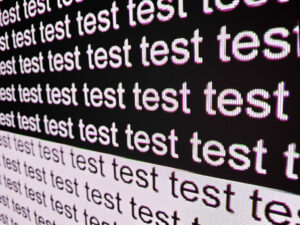
This projector uses a smaller DMD chip, and its limitations become visible as the screen size increases. I took these two photos on a 100-inch screen, and at this size the gaps between the pixels are already clearly visible.
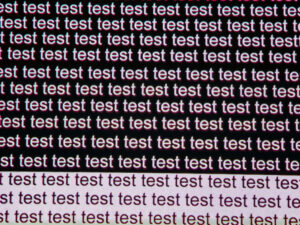
Another potential issue is the presence of coloured outlines around white areas. The effect is slightly exaggerated in the photograph because photographing a laser projector always adds a red tint to the image, but if you look at the edges of the letters, you can see a thin red or green fringe depending on their orientation.
Contrast
More information about contrast
On/off contrast measures the difference between white and black. This gives an indication of a projector's ability to reproduce dark scenes properly.
A contrast ratio below 500:1 should be considered very low, and the impact will be most visible in dark scenes, where detail will be lost. This is less of an issue for sport, bright films or animated content.
A low contrast ratio does not mean that a projector is unusable. You simply need to be aware that in films such as Aliens, detail in dark scenes will be harder to distinguish.
I measured the contrast ratio in every picture mode, testing laser levels 1 and 10 each time. The resulting native contrast ratio ranged from 800:1 to 1,325:1, with the best result obtained in Standard mode at laser level 10. This may seem slightly low compared with some competing projectors, but the price positioning must also be taken into account. There are not many triple-laser projectors available below €800, and even fewer with a contrast ratio above 1,000:1.
Compared with the 4K version, contrast is slightly lower, although this is a logical consequence of the lower brightness. Unlike the 4K model, this version does not currently offer dynamic contrast, even though the specifications state that it should. I contacted XGIMI to find out whether this is related to the firmware version I am using.
The optical quality is therefore not as good as on the 4K version, and this is probably one of the factors that may justify buying the more expensive model if your budget allows it. The optical quality is closer to that of a MoGo 4 Pro than to the XGIMI Elfin Flip 4K.
Motion compensation
More information about motion compensation (MEMC)
Many projectors operate at a frequency of 60 Hz, which means they display 60 frames per second. Many films are produced at 24 frames per second. This means that the source does not contain enough frames to fill all 60 frames displayed by the projector.
This usually results in visible judder. Some projectors can reduce this judder with a motion compensation system, also known as MEMC. If the setting is used too aggressively, it creates the so-called “soap opera effect”, which gives the image an artificial appearance similar to television series from the 1980s.
Like most XGIMI projectors, this model includes a smoothing system that reduces judder during fast horizontal movement. It works just as well as on the brand's other models.
Image size and throw distance
More information about throw distance
Throw distance determines image size, while image size is determined by the projector's throw ratio. A projector with a throw ratio of 1.2 will produce an image 83 cm wide for every metre of distance, potentially with a grey border.
Distance also affects brightness because brightness decreases with the square of the distance. A projector placed four metres away will therefore lose four times as much brightness as one placed two metres away.
Keystone correction does not alter the projection cone. It resizes the image within that cone. This means that significant correction will create a large grey border around the image.
This projector does not have a zoom, so image size is determined solely by distance. Its throw ratio is 1.2, which is fairly typical, and it produces an image approximately 83 cm wide for every metre between the projector and the screen.
Choosing a screen
More information about choosing a screen
A screen is not always essential for a projector. It depends on the projector you choose and the surface onto which you are projecting.
I have tested many screens, which I cover in detail in my comparison article, to help you choose the type of screen that best suits your projector and budget.
I explain the differences between white screens, grey screens and ambient-light-rejecting screens.
With less than 1,000 lumens, this projector is designed to be used in complete darkness. If you choose to use a screen, a neutral white screen is the only suitable option.
For an inexpensive white screen, you can consider Vevor. I have been using one of its screens for a long time, and although it slightly emphasises green, it remains a very good option in this price range: Vevor screens
Projection screen comparison
Audio quality
More information about audio quality
I use several types of music to demonstrate the projector's sound quality, but the result will always be limited by the recording equipment. Because I always use the same device, you can compare the differences on a consistent basis.
I regularly use well-known copyrighted songs to demonstrate the audio quality of a projector. YouTube may occasionally block my videos for this reason. In that case, you can listen to the soundtrack directly on YouTube, provided that the platform has not completely blocked my channel.
The two projectors in the new Elfin range are not outstanding musical performers. They are equipped with a single 7-watt speaker, so they are not directly comparable with a hi-fi or home cinema installation. Sound quality is acceptable in most situations, but raising the volume introduces distortion, and the sound can become somewhat congested when several types of audio need to be reproduced at the same time.
Gaming
More information about gaming
To play comfortably on a projector, input latency needs to be low. Latency is the response time between pressing a button on the controller and seeing the corresponding action on screen. It is measured in milliseconds and is also known as input lag.
I measure latency with a specialised device. For fast-paced online FPS games, latency should be below 30 ms. For games where reaction time is less important, anything below 100 ms should be suitable in most situations.
I generally test ShadowRunner through GeForce Now on my Nvidia Shield, except when this is not possible. I am not used to playing with a controller, so I am not particularly skilled, but the purpose is to demonstrate the projector's capabilities rather than my own.
XGIMI has had a good grasp of gaming performance for quite some time. Most of its projectors include a game mode that reduces latency below 30 ms, and this model also includes a crosshair feature that places a targeting reticle in the centre of the screen to make aiming easier in FPS games.
Conclusion
I had not tested an XGIMI projector from the Elfin range for several years, and the progress is undeniably substantial. The move to triple laser changes everything: image quality is far better than on the previous LED models. The laser source is not the only improvement. Colour accuracy is almost perfect straight out of the box, and only a few adjustments are needed to correct the remaining issues. Contrast has also improved. It does not match the more expensive XGIMI projectors, but it is perfectly respectable for a portable model.With such appealing specifications and such positive results, you might wonder whether this projector can compete with more expensive models from XGIMI or other brands. I would be more cautious, because it is important to remember that this is a portable projector with a smaller DMD chip and limited brightness. You therefore need to understand its limitations before buying it. Screen size will play an essential role in your decision. If you are planning to use a screen of around 80 inches, this projector should perform well. A larger screen is technically possible, but you will need to accept a reduction in image quality.
The choice between this model and the 4K version will also depend on your budget. The 4K version is better in every respect, but at the time of writing it costs €200 more.
Strengths
Colour accuracy
SDR and HDR rendering
Colour coverage
Contrast
Very low power consumption
Low gaming latency
Low operating noise
Portability
Full Google TV support
Weaknesses
Screen size limited by brightness and DMD chip size
Sharpness and text outlines
Visible pixel grid caused by the DMD chip
Coloured fringing around high-contrast edges
Limited audio power


A question? A remark? Feel like shouting? (not too loud)