




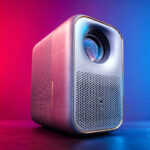
This new model improves on the Page One by offering more brightness, better-controlled operating noise, improved latency for gaming and a modernized Google TV interface.
This projector is available from NothingProjector for €399:
Xming Page Two / NothingProjector.com
This projector is not to be confused with the Xming Episode Two, which looks very similar. The Episode Two is less bright and costs €299.
Manufacturer web site: https://www.nothingprojector.com
Site where I have bought or received the : https://bit.ly/4tdGL...
Timeline
End of April 2026: delivery of the projector before my vacationsmay 12, 2026: testing can begin
Why this projector?
I don't test many entry-level projectors, because they all have the same strengths and weaknesses. When I decide to test one, it's because I see an interest for the test or for my visitors. For example, I've just published a test for the Magcubic HY450C, which I'm giving away in a competition. The Xming Page Two is a little more expensive, but it's also a better projector in several respects, which I'm going to share with you. As with the Magcubic, I'll be giving away my test copy when I've completely finished the test and the video for YouTube.Unpacking
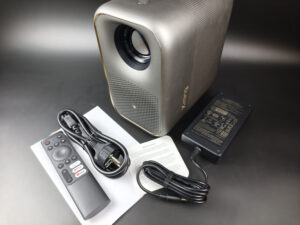
The Xming Page Two box contains the bare essentials: the projector, a remote control (without the 2 AAA batteries), a manual and a power supply unit that's rather large for the size of the projector.
Operating system
The Xming Page Two runs on Google TV, and that's good news because the vast majority of entry-level LCD projectors use unofficial versions of Android. So you won't notice any difference with a high-end projector, and you'll be able to use the same applications without going through detours to install them.This operating system represents the best of what's available today, so it's a good thing to find it on an entry-level projector. On the other hand, entry-level means lack of performance. While this doesn't affect streaming services like Netflix or Youtube, it does have a noticeable impact if you're playing local files. I have several videos stored on a NAS that I use for all my tests and several of these videos simply don't work if I run them from the projector because the projector gets lost in buffering. This problem doesn't arise if I play these same videos from an Nvidia Shield connected to the projector. The cause? I can think of two possible explanations. The first is the most logical: the projector doesn't have very powerful processing capacity (processor, memory, etc.), so it's in trouble when it has to decode local videos. The second possible explanation would be that it has a weakness at wifi level, but this is unlikely because I haven't noticed any problems with streaming.
Finish
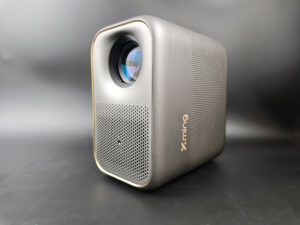
All Xming "episode" or "page" projectors look the same: the color sometimes changes, but the format remains the same overall. This format is also used by other brands. It measures 20 cm high by 12 cm wide and 18 cm deep, weighing just over 2 kilos. So it's a fairly compact, lightweight model that can be taken anywhere. The construction is in plastic, but it's a fairly rigid, high-quality plastic.
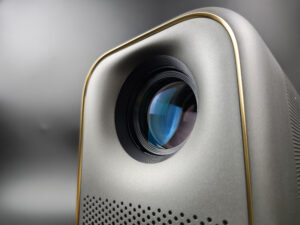
The optics are rather imposing, as is often the case with projectors of this type, and unfortunately their size gives no indication of their quality or brightness. A large optical compartment could give the impression that the projector is powerful or bright, the reality is often different, but I'll come back to this point later in my test.
The optical compartment is centered in relation to the image, meaning that the middle of the optical compartment corresponds to the middle of the image. If you want to avoid image corrections, you should ideally place the projector perpendicular to the middle of your screen/wall.
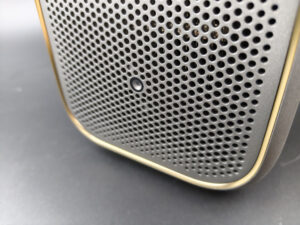
On the lower part of the front panel, there's an attractive sound diffuser and a depth sensor for automatic image focusing. Sound is produced by Boston Acoustics speakers.
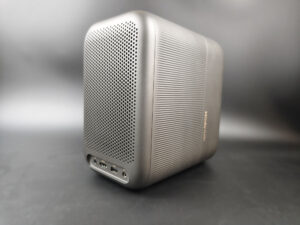
The rear features a large heat dissipation grille. If you place the projector in front of you, you could use it as a small foot warmer.
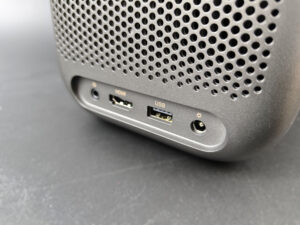
Connectors include an HDMI port, a USB 2.0 port and a jack-type audio output.
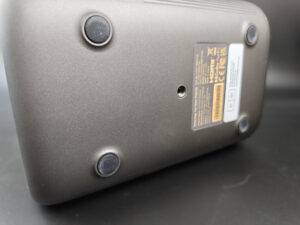
Underneath is the usual screw thread for mounting the projector on a tripod. With a weight of 2 kg, you'll have no problem using a camera tripod.
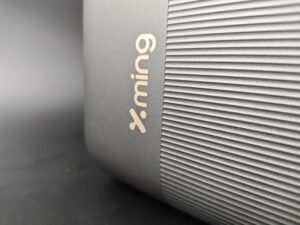
On the side, the design is quite neat with the presence of the Xming logo.
Projection room
My projection room is rectangular, 4.6m by 2.9m (height 2.2m). I have two projection walls, one white wall 2.9m wide with just white paint with a possible 4m setback. I then have a 133 inch ALR screen on another wall with a possible setback of 2.8m. I mainly use the ALR screen except when the layout or type of projector is not suitable for this situation.Battery autonomy
As this projector is not battery-powered, it requires a rather large power supply unit in relation to its size.Power consumption
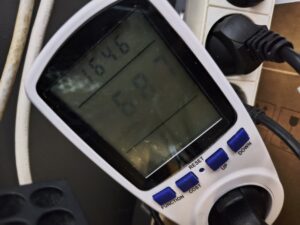
I measured a consumption of 68 watts, so it's clearly not a projector that's going to blow your electricity bill!
Operating noise
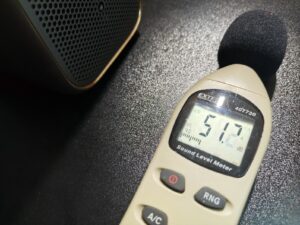
I measured a noise level close to 50 dB near the projector, so the ventilation noise is clearly audible. It's not the worst projector I've tested in terms of noise, but it's not the best either. I went back to my archives and measured 49 dB for the previous model. So there's no change here as advertised.
Image quality
Not yet available / testedColorimetry
More explanations on colorimetry
Measuring color fidelity (colorimetry) is not a subjective question, it is something completely measurable. This measurement is carried out with a device (colorimeter, spectrometer, ...) which measures the difference between the real color and the displayed color. This difference is expressed in delta E (abbreviation: dE). A dE greater than 3 indicates a deviation perceptible to the human eye.
The dE must therefore be as low as possible but projectors rarely have a dE lower than 3 out of the box. They are often between 5 and 10, only a calibration can correctly adjust the colors.
For a perfect calibration, you must call a professional. I give you my parameters which correspond to my situation. These settings might work for your situation but it is not a guarantee, so take them as an indication of the direction to follow.
Film" configuration

Standard" configuration

I measured colorimetry with my usual protocol and, unsurprisingly, the result isn't very good, which is never the case with this type of projector, as the available color space isn't large enough. I have a delta E of over 10 in standard mode and just over 7 in film mode, with deviations in all colors. This is not "fixable" because reference colors simply don't exist on this kind of projector.
This may seem disappointing, but as I often say, it's "normal" for this type of projector, and is linked to the technology used. On the other hand, this projector fares better than most others with the "film" configuration, because with a delta E of 7.62, it's not enough, but it's clearly better than most competing products, which have delta E values well in excess of 10. With the projector's extended settings, it's even possible to go down a little further, but I can't manage to correct the red's biggest weakness, no matter what settings I use.
I'll illustrate this color problem with the following graph:
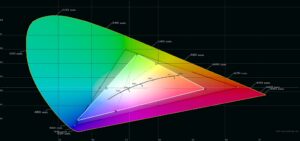
The black triangle corresponds to the REC709 standard, representing all the colors that a projector should at least achieve. The white triangle corresponds to the measurements and we can clearly see that it doesn't reach the edges of the black triangle. What impact does this have on the image? The image will appear duller and less saturated than a projector capable of reaching the black triangle. For a projector in this price range, this is probably not dramatic, you just have to be aware of it.
Results of delta E measurements for primary and secondary colors
Standard 11.15
Film 7.61
Vivid 11.08
Sports 11.04
Game 11.43
The best configuration is therefore the "film" configuration, which produces a warmer image than the other configurations. Measuring colorimetry with this type of projector requires a few precautions, however, as the color at the center of the screen is not the same as that at the periphery. The values in this test are based on the center of the screen.
This projector is capable of playing HDR videos, and will detect the format correctly, but since its color coverage is limited, so will HDR. So I haven't taken HDR into account in the measurements, as it makes no sense to dwell on HDR with this kind of projector. Colors will appear duller than on a projector capable of achieving a larger color space.
Image Settings If you want to improve white fidelity a little, you need to lower the blue and green in the color temperature settings. I obtained a delta E of less than 3 with blue at -65 and green at -29.
Brightness
More explanations on brightness
The brightness for a projector is absolutely crucial. The brightness is measured in ANSI lumens and the values provided by the manufacturer are very often higher than reality.
I measure the brightness with a lux meter and I convert my measurements into ANSI lumens in relation to the projection surface. You thus obtain a real value.
A video projector, even if it is bright, cannot compete with a television. The contribution of light (natural or artificial) will have the effect of drastically reducing the contrast of your image. With a brightness lower than 1000 ANSI lumens, the projector must be used in total darkness.
I measured the actual brightness of this projector with the different configurations and obtained the following results:
Standard 453 lumens
Film 362 lumens
Vivid 458 lumens
Sports 460 lumens
Game 456 lumens
With values like these, this projector needs to be used in total darkness, and the screen size needs to be limited to 95 inches to avoid getting too dark an image. I have not taken HDR into account in my calculations, as it is not really usable with this type of projector.
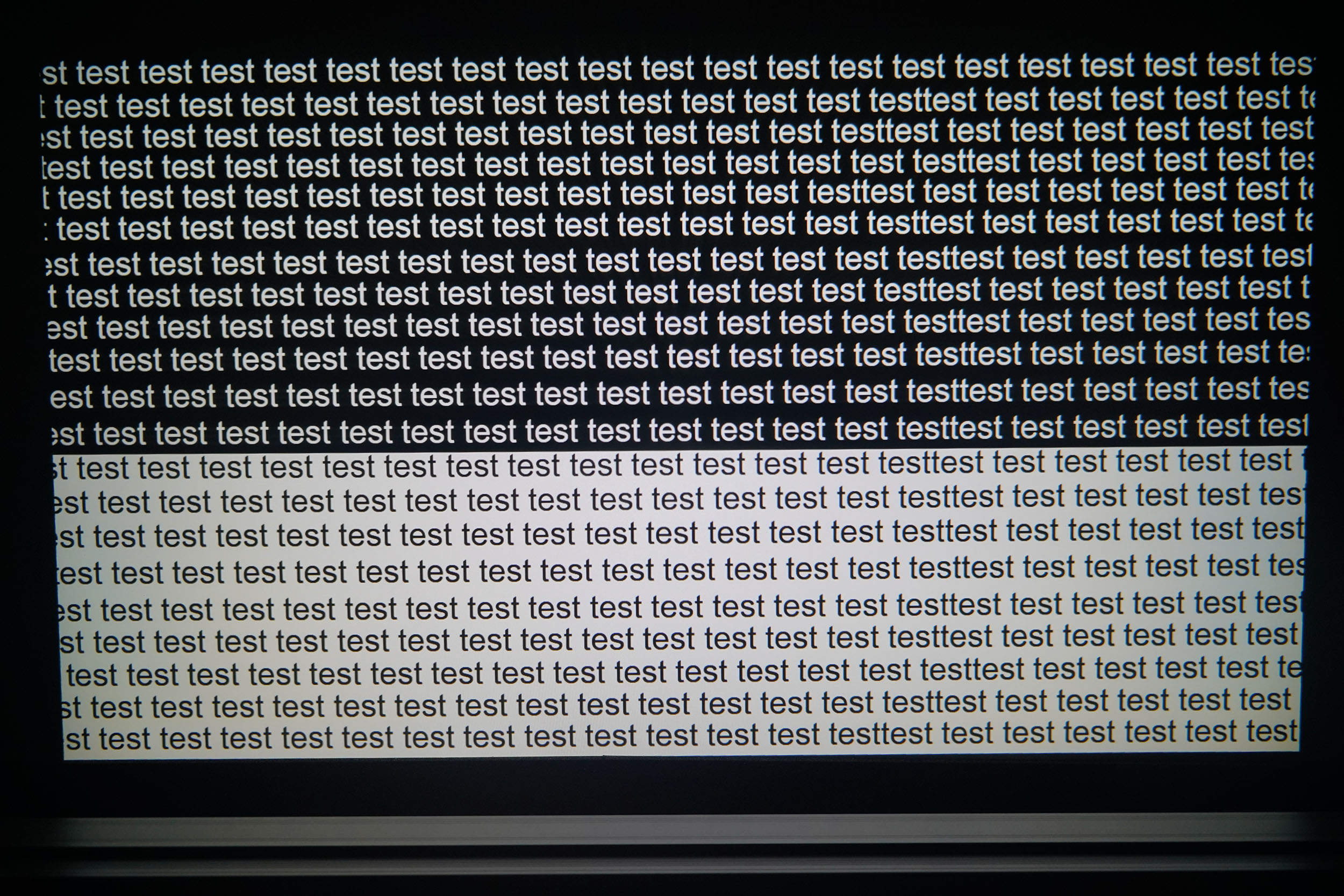
Like all projectors of this type, brightness degrades around the edges, with slight black edges in the 4 corners, but this degradation is limited. The quality of the optical compartment is superior to the vast majority of projectors of this type.
Sharpness
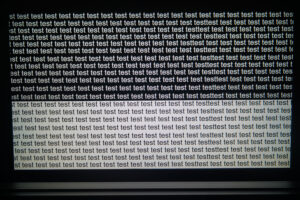
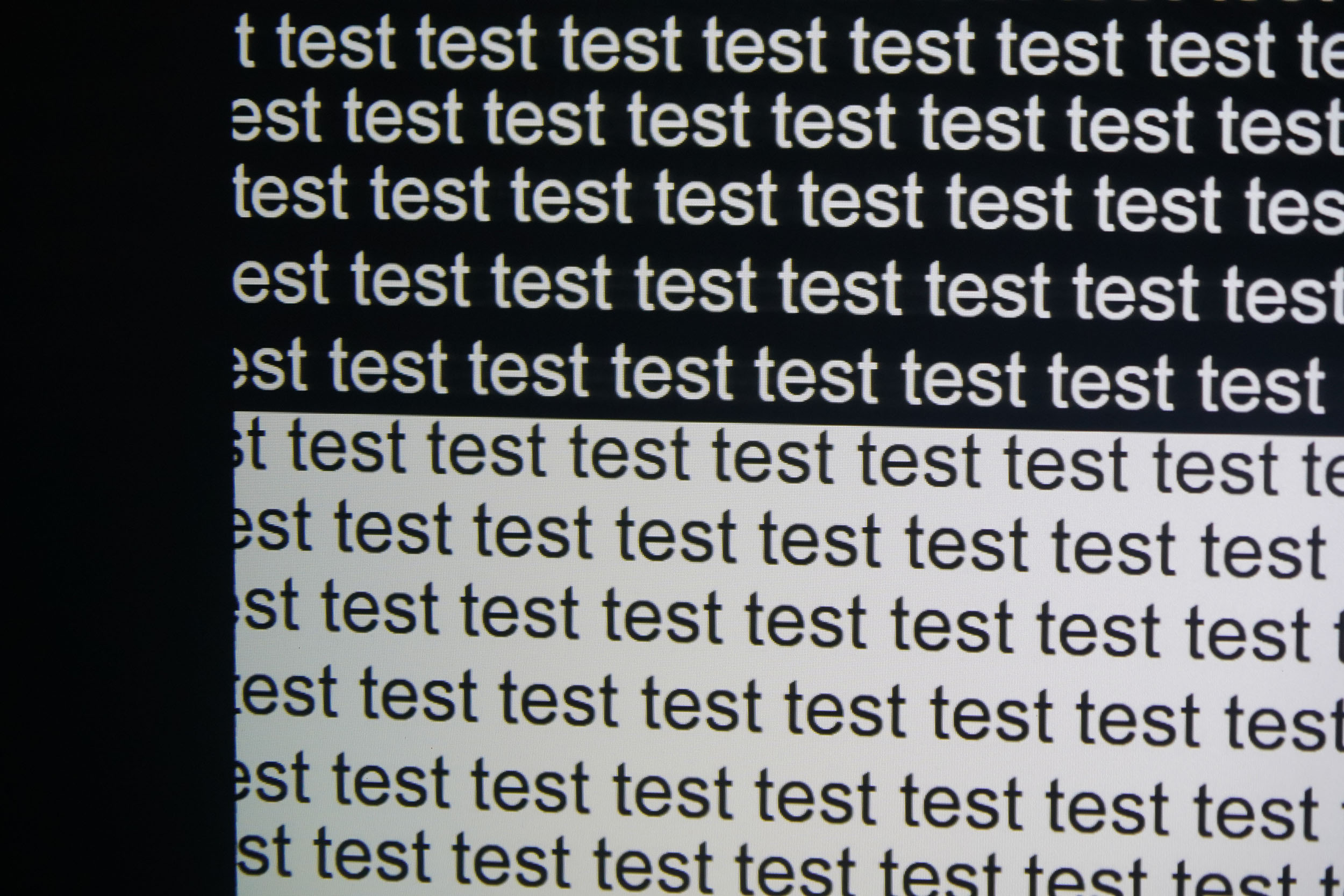
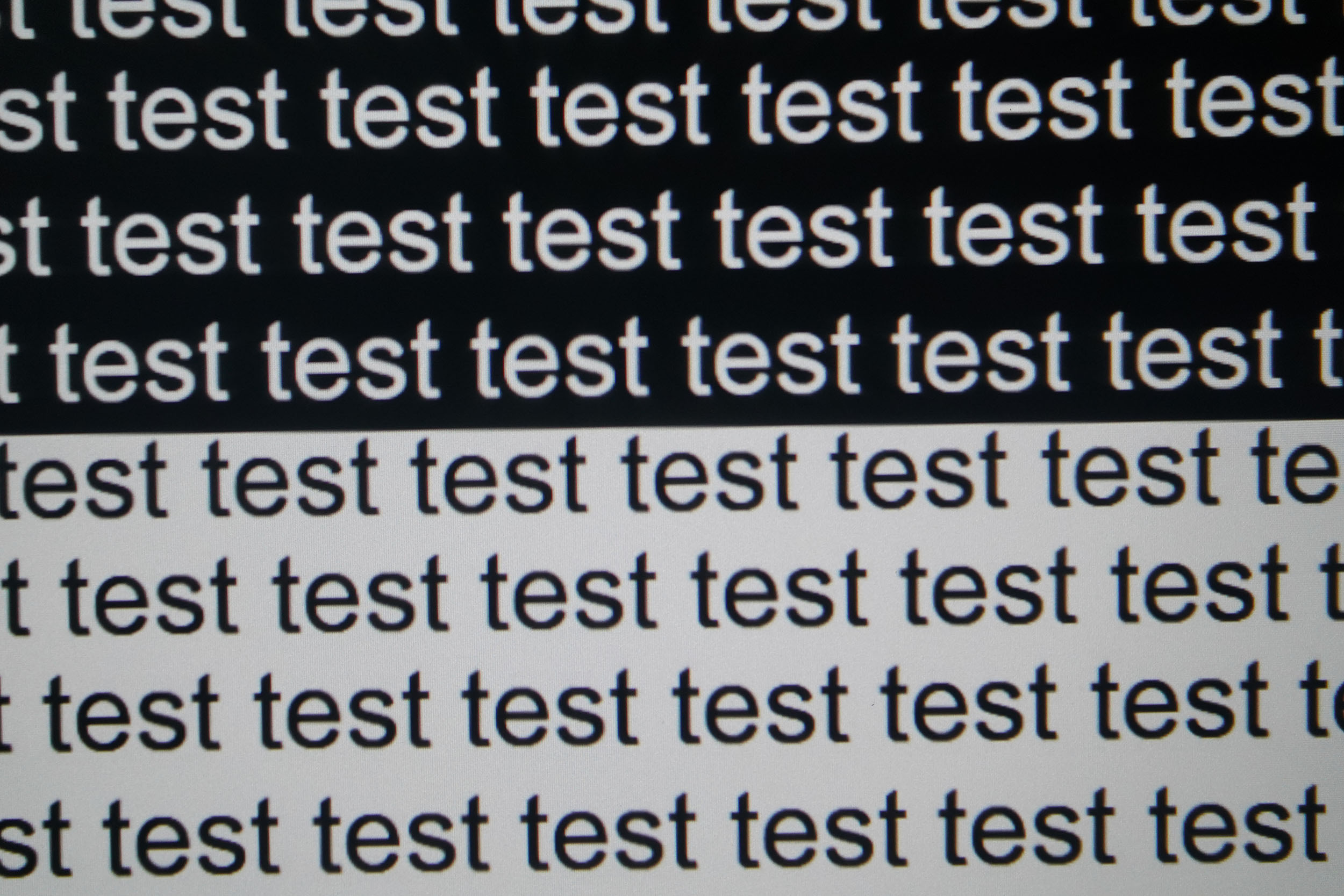
The image sharpness of entry-level LCD projectors often deteriorates at the periphery, but this little Xming Page Two does really well. I'd already made this observation with the previous model, and it's all the more noticeable as I've just tested another projector of this type recently, which showed major sharpness discrepancies. This one loses a bit of sharpness, but it's quite acceptable.Contrast
More explanations on contrast
Contrast (on/off) is used to measure the difference between white and black. This measurement gives an indication of the ability of a projector to produce a good rendering in dark scenes.
A contrast lower than 500:1 should be considered as a very low contrast and the consequence will be especially visible in dark scenes where you will lose details. This is less of a problem for sports, bright films or even cartoons.
A low contrast ratio does not mean that a projector is not usable, you just have to be aware that for films like Aliens, dark scenes will no longer allow you to distinguish details.

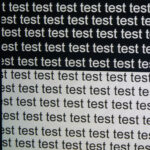
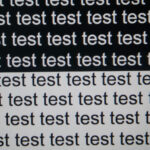
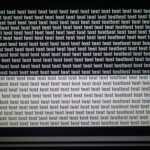
Gray fidelity isn't optimal either, but the colorimetric deviation is much smaller than for colors. Here again, this is normal and usual for this type of projector. What's particularly noteworthy here, however, is the contrast level, measured at 3095:1! This is absolutely enormous, and clearly one of this projector's strengths.
I measured the contrast on all configurations and obtained the following results:
Standard 3295:1
Film 2694:1
Vivid 3427:1
Sports 3420:1
Gaming 3396:1
Here's what you can expect from a dark scene with this level of contrast:
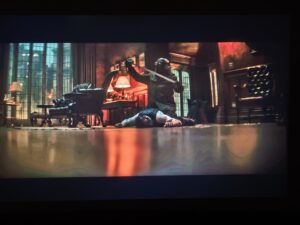
As you can see, this level of contrast is very effective for brightening up dark scenes. Colorimetry isn't super faithful, but it's still a very good result.
The "film" configuration is the best for colors but not for contrast, so it's the "vivid" configuration that wins here. This contrast level isn't the only good news: I measured a black luminance of less than 0.05 cd/m², so it's a fairly dark black. These are values that many high-end projectors don't even come close to achieving.
Motion compensation
More on Motion Compensation (MEMC)
Many projectors use a frequency of 60 Hz, which means that they broadcast 60 frames per second. Many films were designed to broadcast 24 frames per second. This means that for each second, the film does not have enough frames to fill the 60 frames broadcast by the projector.
This most often results in a jerkiness in the image. Some projectors are able to attenuate this jerkiness with a motion compensation system (also called MEMC). If you abuse this compensation, you will get what is called the 'soap opera' effect which makes the image a little artificial like the TV series of the 80s.
This projector is equipped with a motion compensation mechanism to smooth out rapid horizontal movements. This option is usually called MEMC, but this time it's called MJC. You can set the smoothing to three levels and a custom level that lets you tailor the smoothing to your taste. This is the first time I've seen this on an entry-level projector, so it's another very good point for this projector.
Image size and projection distance
More explanations on the projection distance
The projection distance determines the size of the image and the size of the image is determined by the projector's throw ratio. If a projector has a throw ratio of 1.2, it will have an image width of 83 cm with possibly a gray border.
The distance also plays a role in the brightness because the brightness decreases with the square of the distance. A projector placed at 4 meters will therefore lose 4 times more brightness than a projector placed at 2 meters.
Keystone image correction does not modify the projection cone, it resizes the image inside the projection cone. This means that in the event of a significant correction, you will see a large gray border appear around your image.
This projector has a projection ratio of 1.21, which means that if you place it one meter from your screen/wall, you'll get an image 82 cm wide. At two meters, the image will be 164 cm wide. As the screen size should ideally be limited to 95 inches to avoid an excessively dark image, the projector should ideally be placed at a maximum distance of 269 cm from the screen.
Screen choice
With this type of projector, you don't really have a choice when it comes to screens. With a maximum brightness of 460 lumens, the only type of screen that will work is a white screen with a gain greater than or equal to 1. Grey screens will have the effect of darkening the image, while this projector already doesn't have much brightness.A screen is obviously not absolutely necessary with this type of projector, as it is not a projector with high color fidelity. A smooth white wall (or ceiling) will do just fine.
Audio quality
More explanations on audio quality
I use several types of music tracks to illustrate the sound quality of the projector but the rendering will always be limited by the recording device. Since I always use the same device, you will be able to compare the difference on the same basis.
I regularly use well-known songs protected by copyright to illustrate the sound quality of a video projector. It therefore sometimes happens that YouTube decides to block my videos for these reasons. In this case, you can listen to the soundtracks directly on YouTube and hope that YouTube has not completely blocked my channel.
This Xming Page Two is equipped with two 5-watt speakers from Boston Acoustics. I'm not an audio specialist, so I don't know if this is a reputable brand, but on the scale of this projector, these 2 little speakers do a good job. The sound isn't as good as what I'm used to hearing from mid-range or high-end speakers, but it's more than adequate for a projector of this size and price. It just lacks a little precision at the ends of the spectrum, but the rendering is really good. I'll be adding a soundtrack to the video test I'll be doing after I've finished the written test.
Video games
More explanations video games
To be able to play in good conditions with a projector, the latency must be low. Latency is the reaction time between pressing a button on your controller and the reaction on the screen, this latency is expressed in milliseconds and is also called 'input lag'.
I measure this latency with a specialized device. To be able to play fast-paced FPS-type games online, you need to obtain a latency of less than 30 ms. For games where the reaction time is less important, a latency of less than 100ms should be suitable for most situations.
I generally test ShadowRunner from Geforce Now on my Nvidia Shield except when this is not possible. I'm not used to playing with a controller, so I'm not very good at it, but the point is to show the projector's ability, not mine.
The Xming Page Two runs on Google TV - why is this important for gaming? All the low-latency settings found on mid-range and high-end projectors are also present on this projector. These settings allow you to bring latency below the 30 ms threshold so you can play jittery games without any loss of performance. This is very rare in this price range, and is another strong argument in favor of this projector.
Encoutered bugs
I didn't really encounter any bugs with the projector, but you have to be aware that its processing capacity is limited by the hardware used, which means that it will be slow for heavier operations such as reading large local files. Streaming, on the other hand, is no problem.ALR/CLR Projection screen
Are you looking for a good ALR/CLR screen for your projector? I may have what you need:ALR/CLR NothingProjector Screen
Test / Review conclusion
When I'm asked to test an entry-level LCD projector, I'm always a little hesitant to take the plunge, and it has nothing to do with price. The problem with projectors of this type is that they all have pretty much the same faults, and I always have to tell the same story, except that... with this Xming Page Two, I discovered a whole host of things that positively surprised me.I'm going to list the usual shortcomings of this type of projector and associate the corresponding result of my test:
- image too cold and delta E over 10: this projector produces a warmer image with a delta E of 7
- limited color space: unfortunately, everyone's in the same boat here
- low contrast: this projector is a contrast monster, holding its own against much more expensive projectors
- low brightness: here, on the other hand, we're in the category of low-brightness projectors, but it can still go up to 95 inches for the screen
- sharpness: sharpness degradation is very low, unlike most other projectors
- exotic operating system: this Xming runs on an official version of Google TV, with all the settings available at the top end of the market
- high gaming latency: this projector features top-of-the-range settings to reduce latency to an imperceptible level
- noise: this projector is noisy, but in the low mid-range
- fast-motion jerkiness: this projector has a motion compensation mechanism equivalent to the top of the range
- tin-can sound: the sound of this projector is much better than that of most entry-level projectors
This projector is a real success story, and if I look at the marketing arguments used to sell it, they're almost all correct!
So I'm pleased to have tested this projector, but we mustn't lose sight of the fact that it's an entry-level projector, so it still has some weaknesses of which we must be aware. There's the brightness, its slowness for heavier tasks, its operating noise and its limited color space.
If you're looking for a small, inexpensive spotlight that you can easily take with you and place just about anywhere, you've got a product here that delivers!
Strengths
Enormous contrast (>3000:1)
Sound quality
Ultra-low playback latency
Small footprint
Low power consumption
Official Google TV with all settings
Motion compensation
Images up to 95 inches
Weaknesses
Low brightness
Operating noise
Slight sharpness degradation
Limited color space
Colorimetric deviations
Performance


A question? A remark? Feel like shouting? (not too loud)