




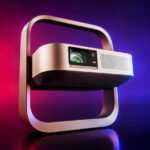
The Flip range used to represent XGIMI's entry-level offering, but with this new generation launching at €799 for the Elfin Flip Laser and €999 for the Elfin Flip 4K, it can no longer really be described as entry-level. The basic XGIMI Elfin Flip costs €399, so the price difference is significant, and this review should help determine whether the increase is justified.
A quick reminder: I am not paid to carry out these reviews. If this review has convinced you, you can support me by purchasing your products through my links.
Purchase from the official website: XGIMI Elfin Flip 4K / xgimi.com
Discount code
I have an exclusive €100 discount for this projector until 31/07/26 (price: €899 instead of €999). This is an official discount that is only valid on xgimi.com.To activate the promotion:
Activate the promotion (you will be redirected to the XGIMI home page and the promotion will appear in your basket)
Then add the product to your basket:
View the XGIMI Elfin Flip 4K / xgimi.com
Timeline
15/07/2026: the XGIMI Elfin Flip 4K arrived together with the XGIMI Elfin Flip Laser, so the review can begin. I expect most of the review to be completed by the end of July, but if it is not finished when you visit this page, feel free to ask your questions in the comments section at the bottom of the page.Unboxing
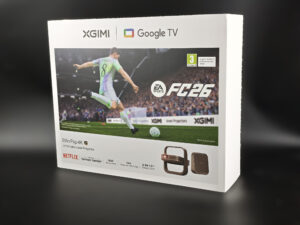
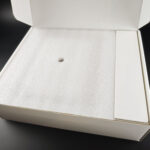
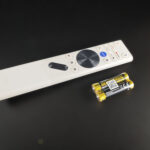
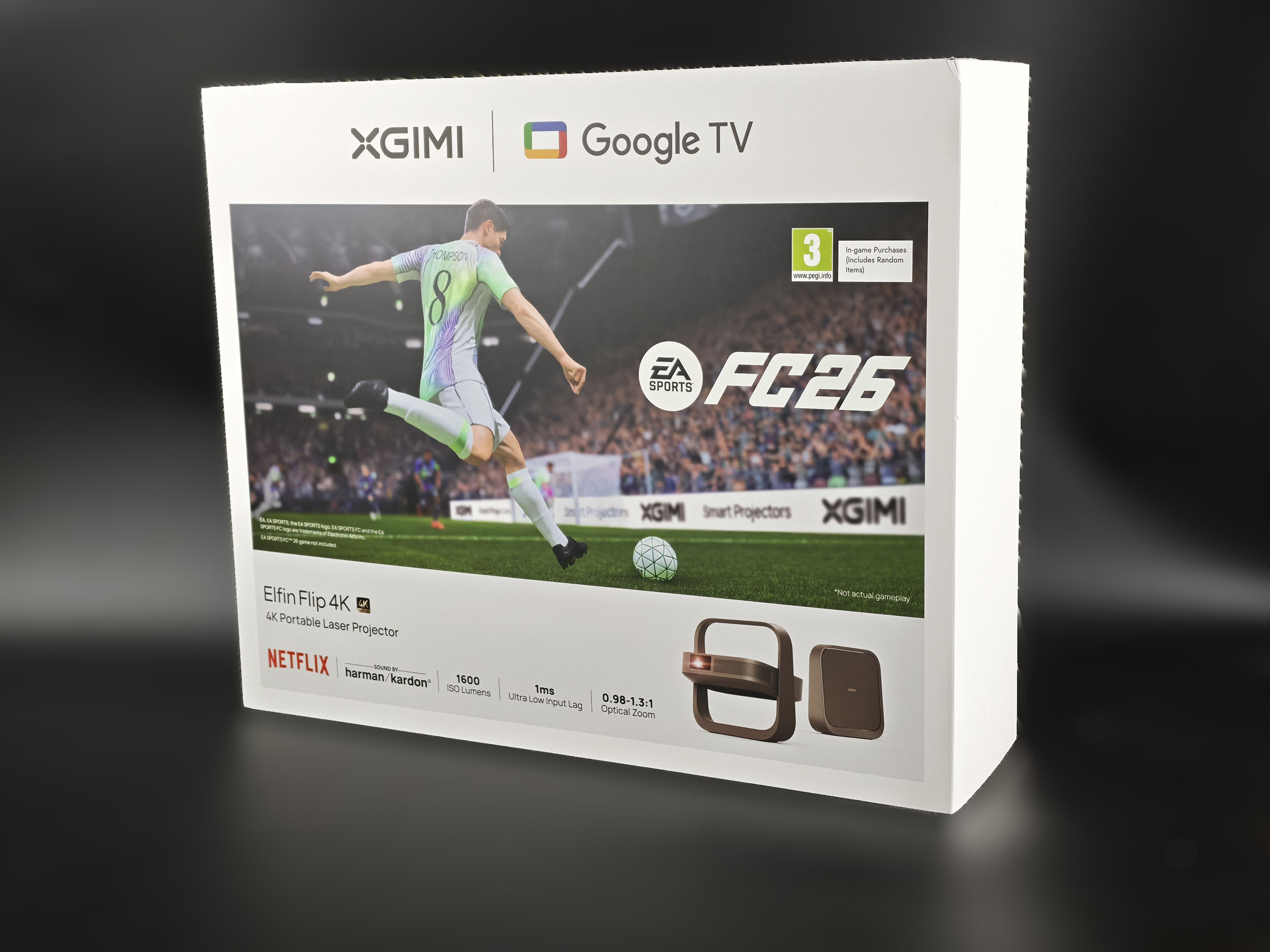
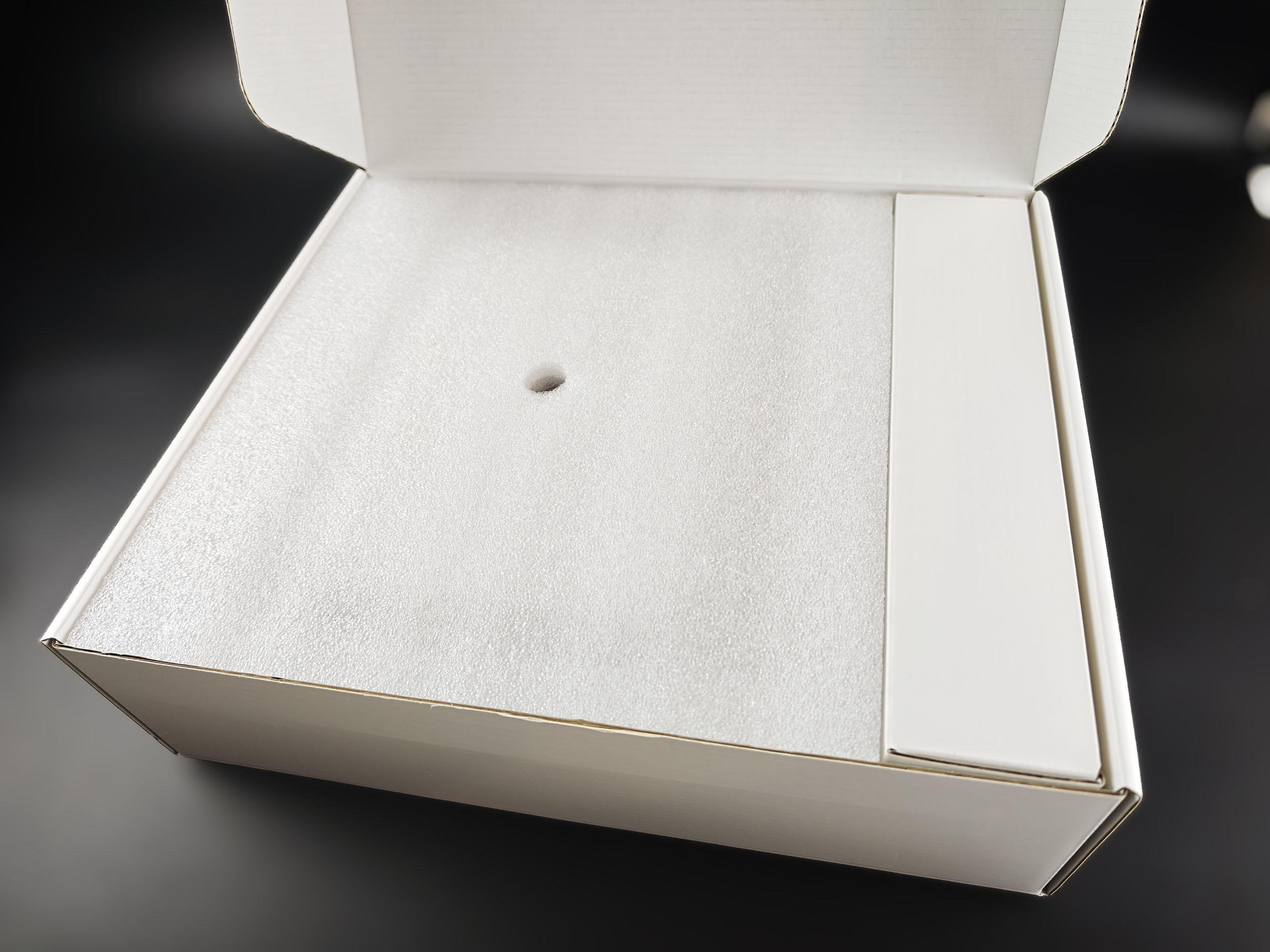
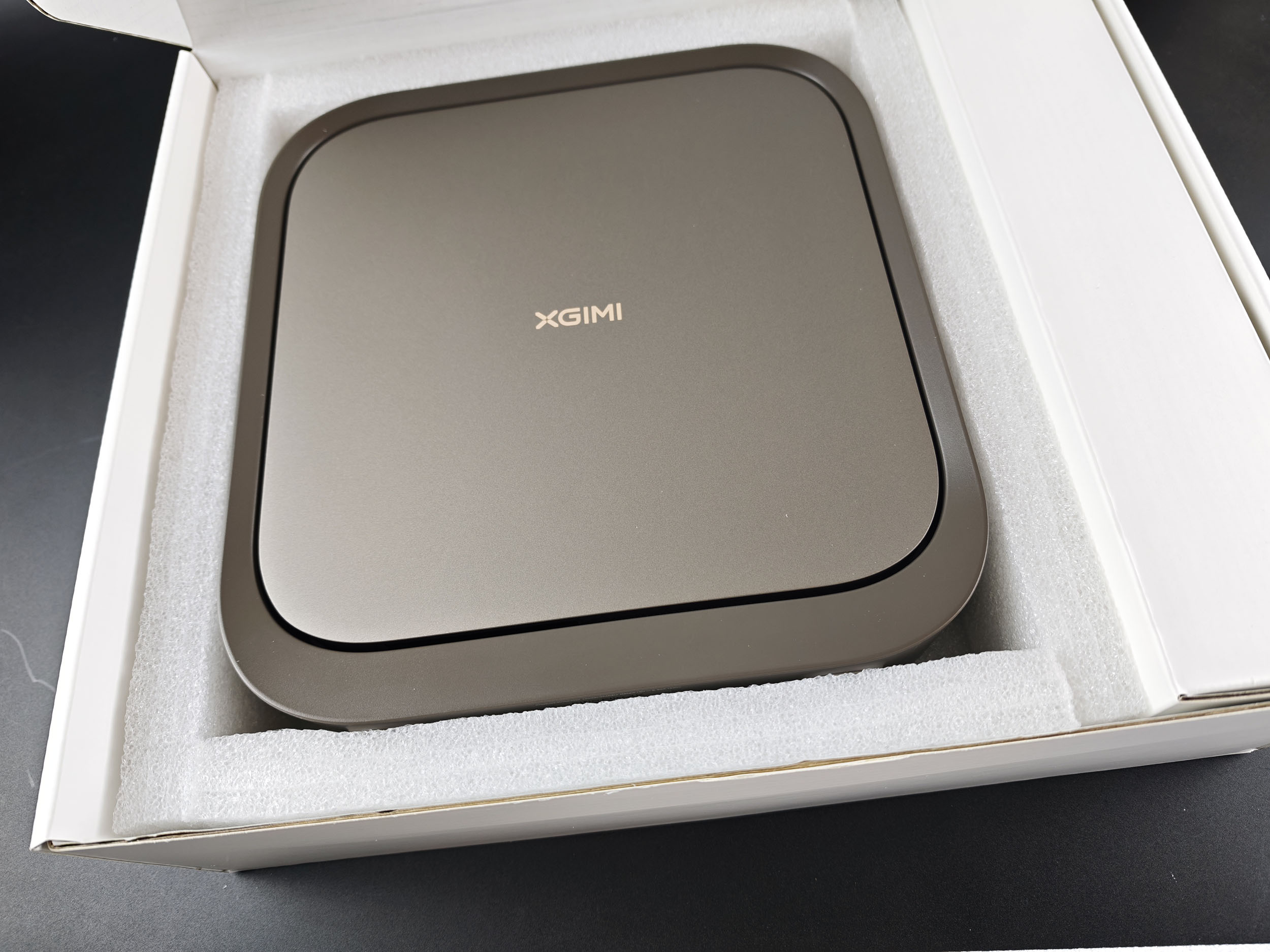
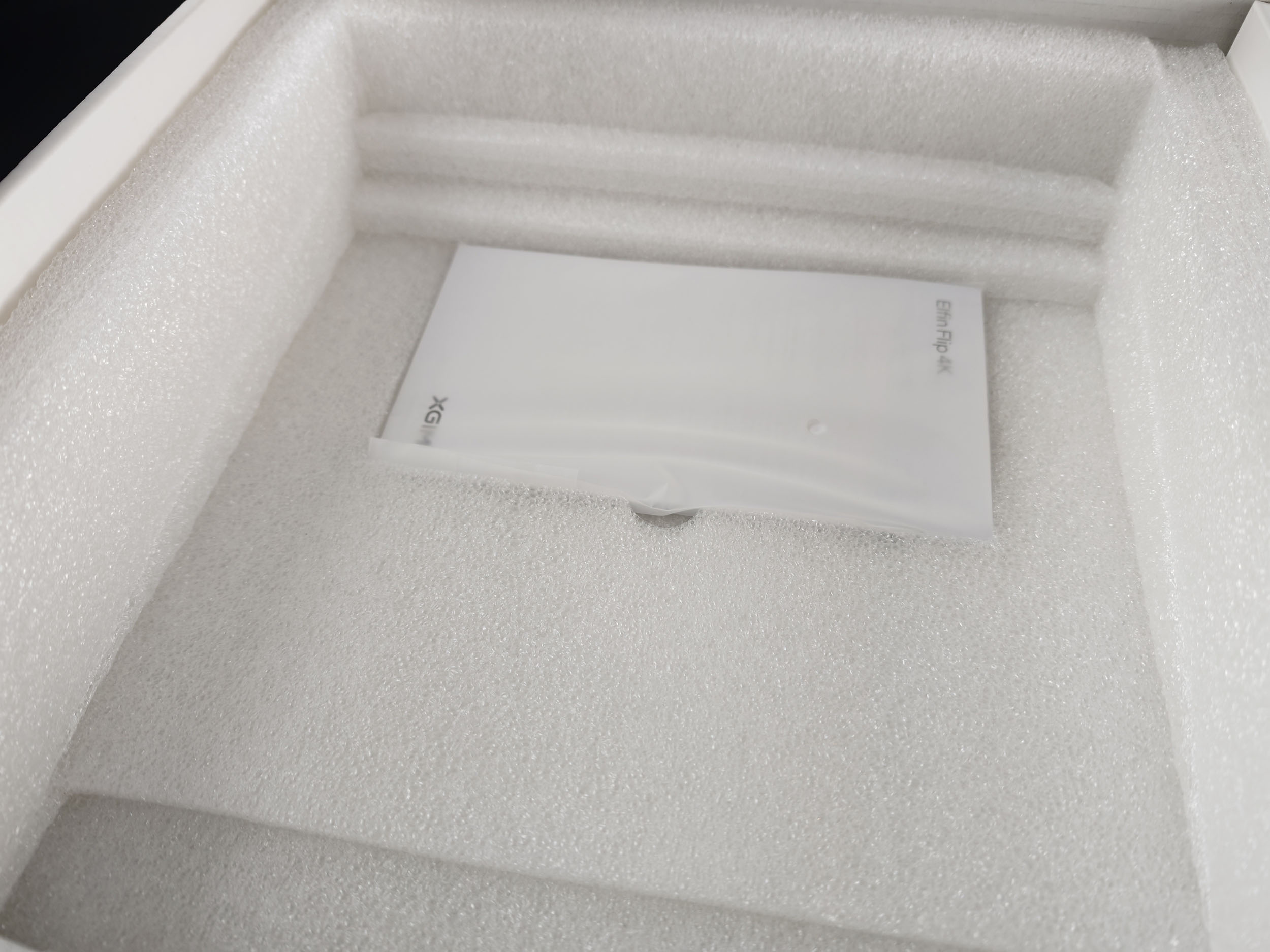
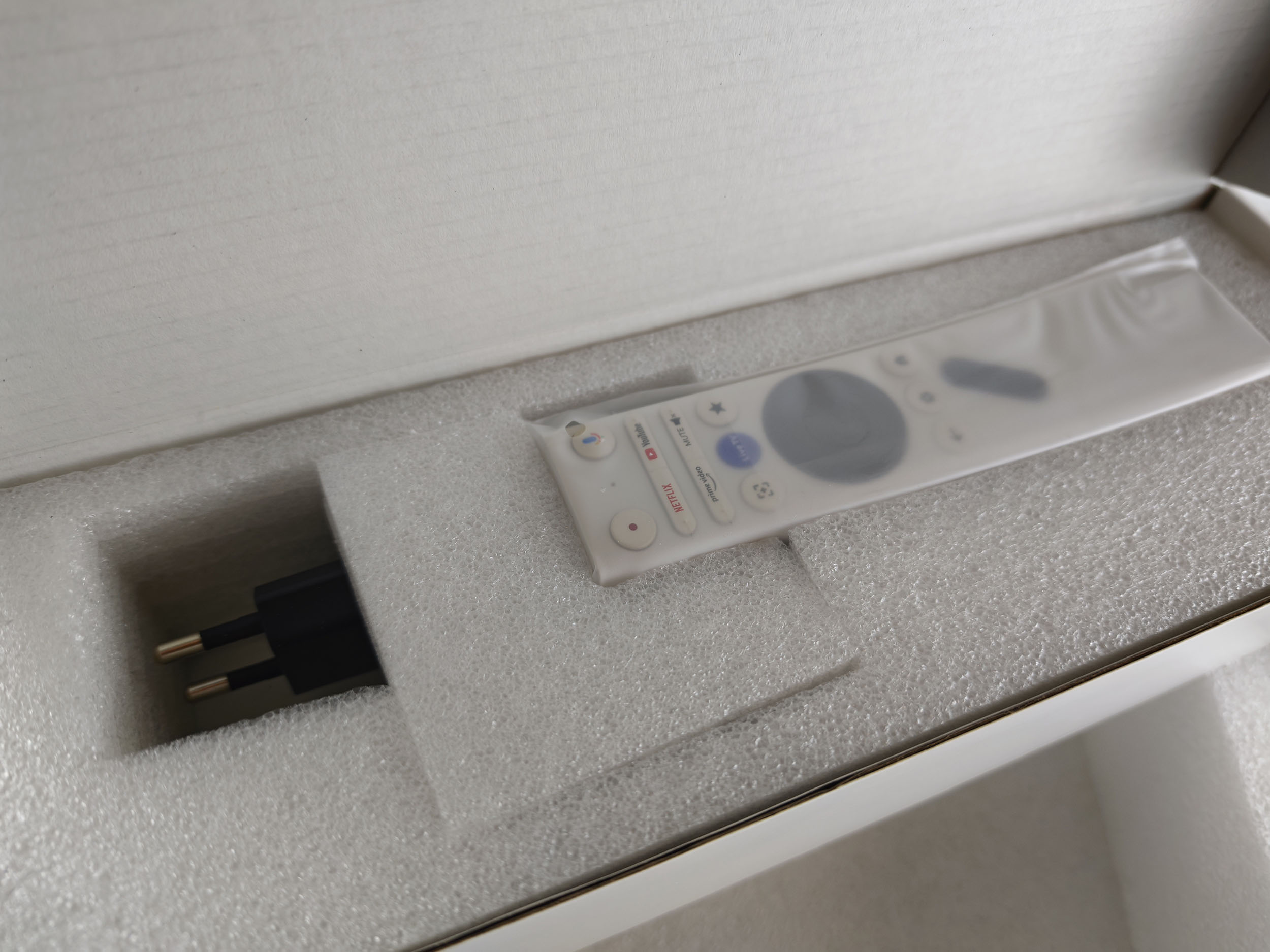
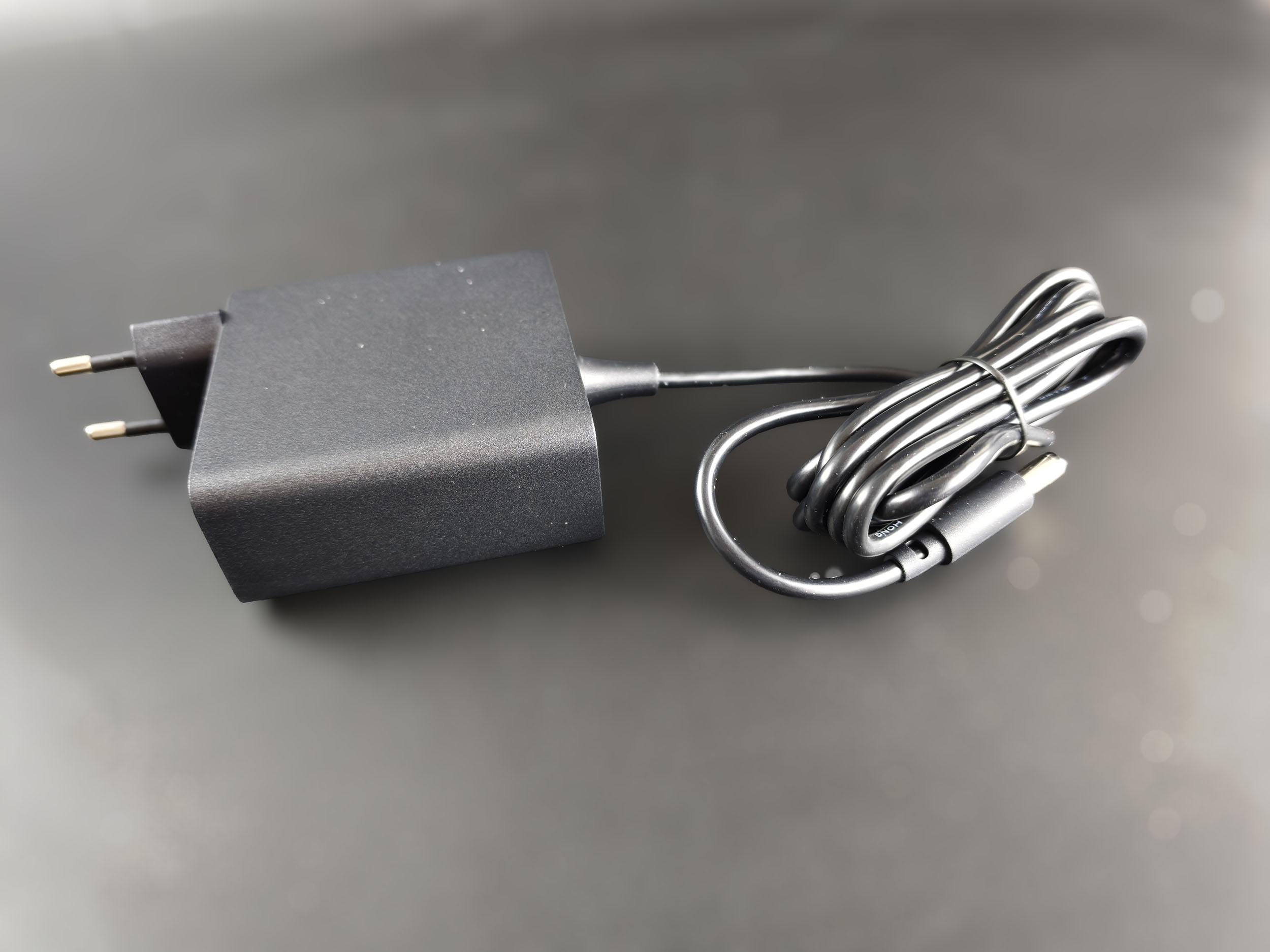
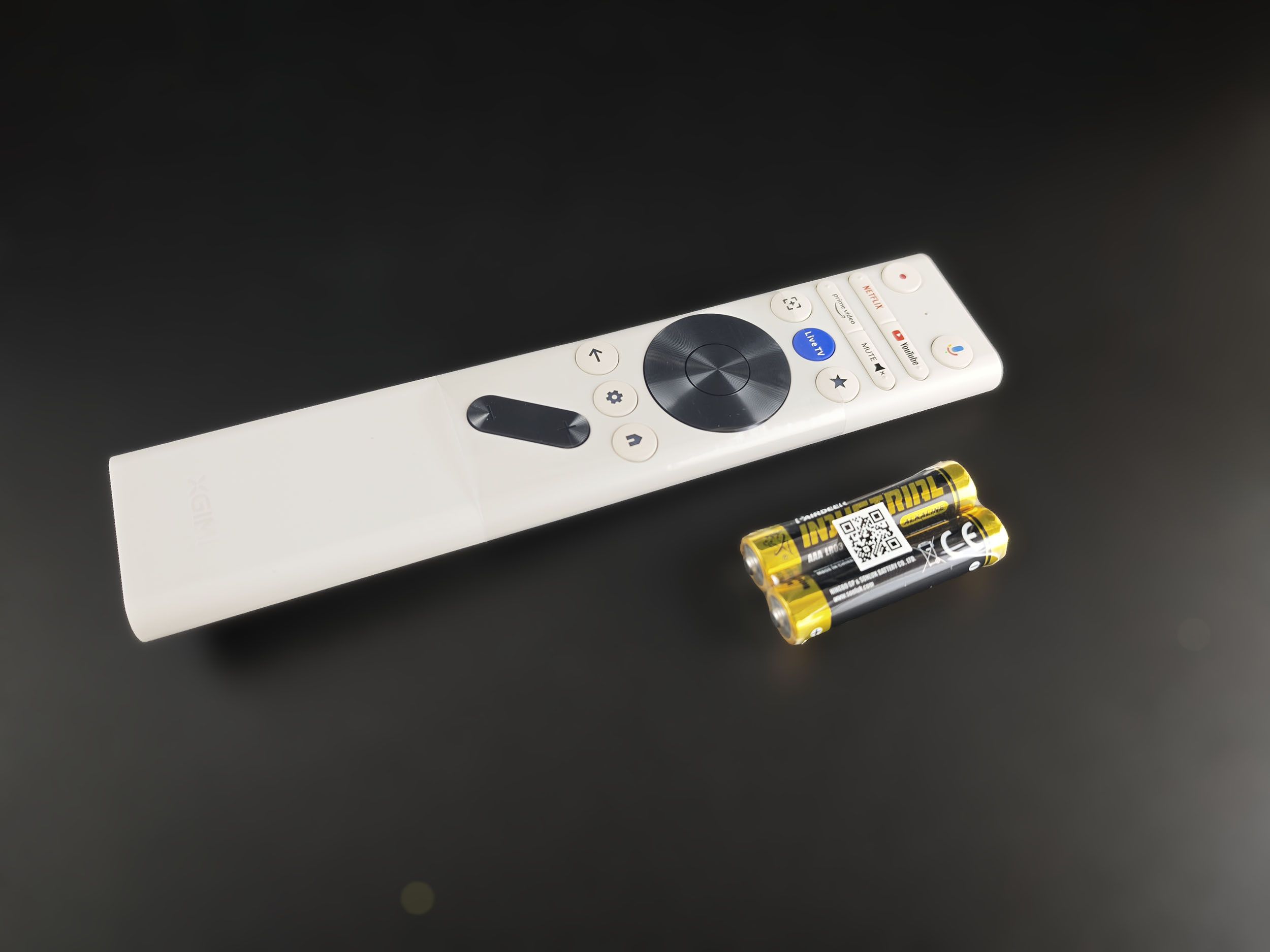
The XGIMI Elfin Flip 4K box is quite large. I was surprised by its size because the last Flip I reviewed was not very large, and neither was its box. Inside the box, the projector is protected by a thick layer of foam and comes with the remote control, two AAA batteries, an external power supply and a manual.
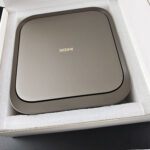
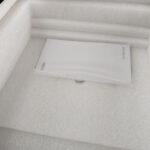
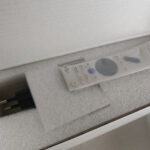
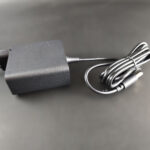
Operating system
XGIMI has reversed course with the Elfin range. The previous generation ran a restricted version of Google TV, which meant that you no longer had access to every application in the Play Store. That is no longer the case with this model, so you can once again access all available applications and make full use of the projector.Build quality
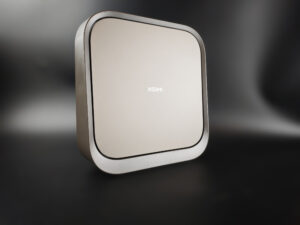
The XGIMI Elfin Flip 4K marks the return of the champagne colour previously used on several projectors a few years ago. This colour is the first feature that distinguishes it from its Laser counterpart, which has a shade closer to purple.
Here are the two projectors side by side (the 4K model is on the right)
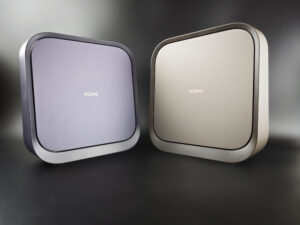
These two projectors are fairly large for portable models. They measure just over 25 by 24 cm and are 78 mm thick. However, the whole unit is quite light at only 1.55 kg. It therefore remains portable, although not small enough to fit into a large pocket. Unlike the MoGo range, the Elfin projectors do not have a built-in battery.
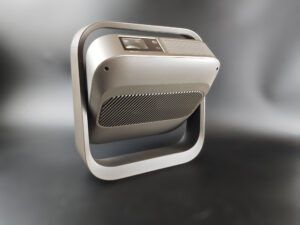
The projector is completely rectangular when closed, but it can be tilted upwards from its lower position until it reaches the limit imposed by the upper part of the stand. It therefore cannot be used upside down on a ceiling. The adjustment range is quite wide, although it does not reach 90°. The surrounding stand can also be used as a carrying handle without any problem.
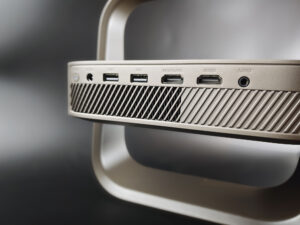
At the rear, there is a heat exhaust grille and a reasonably complete selection of connections for a projector of this size. It has two USB ports (probably not USB 3.0, which is unfortunate), two HDMI ports including one with eARC, a headphone/3.5 mm audio output and a round power connector. It is a shame that XGIMI did not provide a powered USB port, as this would have made it easier to connect the projector to an external battery and improve its portability.
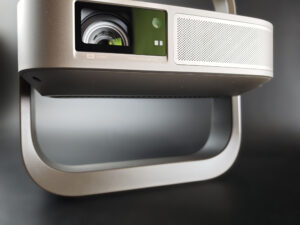
The optical unit is probably one of the most interesting elements when comparing this projector with the basic version. First, it uses a triple-laser light source. This technical choice should allow the projector to achieve maximum colour coverage, which will be particularly useful for HDR.
The other important feature is the optical zoom, with a range from 0.98 to 1.3. This is the first time I have encountered an optical zoom on a projector of this type. It gives you more freedom to adjust the projection distance without losing image quality. With the zoom at its minimum setting (0.98), you will obtain an image 102 cm wide for every metre between the projector and the projection surface. At 1.3, the image will be 77 cm wide for every metre of distance.
Even though I have not yet started the actual testing at this point in the article, these are two objective features that will play an important role in the appeal of this projector.
On the technical side, XGIMI has chosen a 0.39-inch DMD chip. This chip has already been used in other XGIMI projectors. As its name suggests, it measures 0.39 inches and is the component from which the image is generated. In principle, a larger chip can provide a higher level of detail on a larger screen. This chip is capable of producing a 4K image by superimposing several images through XPR processing. It is therefore not a native 4K chip, but native 4K chips are generally reserved for high-end projectors costing several thousand euros.
I think brightness will have a greater effect on the potential image size than any limitation imposed by this chip, but I will return to this point in the brightness test.
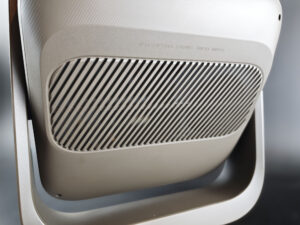
On the underside, there is a grille that should draw in ambient air to cool the projector.
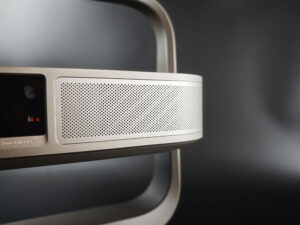
The front panel has a grille used to project the sound. As usual, XGIMI has used Harman Kardon audio hardware, but this time there is a single 7-watt speaker.
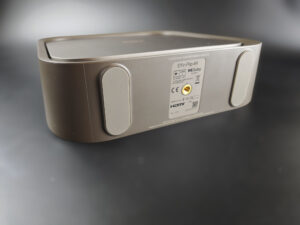
The projector can be installed on a tripod using the standard threaded mount in its base. Given the projector's low weight, a regular camera tripod will work perfectly.
At this point in the description, I can already identify two features that help explain the higher price. The first is the triple-laser light source, which will give the image a richness that the basic version cannot match. The second is the zoom, which offers more placement flexibility without the loss of quality caused by keystone correction.
The Elfin range is therefore moving into a different category, and I will still need to compare these two new models to help you make the right choice.
Power consumption
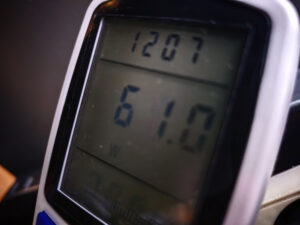
I measured a power consumption of 61 watts with the laser level set to 10 and just over 30 watts with the laser level set to 1. This is fairly low, so you can enjoy the projector without fearing a nasty surprise on your electricity bill.
Operating noise
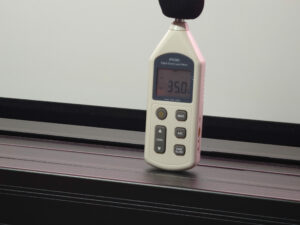
I measured an operating noise of 43 dB close to the projector and 35 dB at a distance of one metre, so this projector is fairly discreet. A slight hum can be heard, but it will be imperceptible unless you are sitting next to the projector. It is sometimes slightly noisier in "vivid" mode, but never to the point of sounding like a hair dryer.
Image quality
Colour accuracyMore information about colour accuracy
Measuring colour accuracy (colorimetry) is not a subjective matter; it is something that can be measured objectively. The measurement is carried out with a device such as a colorimeter or spectrometer, which measures the difference between the target colour and the displayed colour. This difference is expressed as Delta E (abbreviated as dE). A dE above 3 indicates a deviation that is perceptible to the human eye.
The dE should therefore be as low as possible, but projectors rarely achieve a dE below 3 out of the box. They are often between 5 and 10, and proper colour adjustment generally requires calibration.
For a perfect calibration, you should call on a professional. I am sharing the settings that work in my own environment. They may also work in yours, but this is not guaranteed, so they should be regarded as an indication of the direction to follow.
I measured SDR colour accuracy with every available picture mode and obtained the following results:
| Colour | Standard Rec.709 | Movie Rec.709 | Calibrated Movie Rec.709 | Game Rec.709 | Vivid Rec.709 | Sports Rec.709 |
|---|---|---|---|---|---|---|
| White | 12,22 | 9,45 | 4,00 | 11,94 | 17,23 | N/A |
| Red | 0,71 | 1,65 | 0,81 | 2,96 | 12,83 | N/A |
| Green | 1,64 | 2,62 | 1,64 | 2,84 | 11,95 | N/A |
| Blue | 5,78 | 2,10 | 2,03 | 5,88 | 3,37 | N/A |
| Yellow | 0,24 | 3,62 | 0,63 | 1,03 | 9,39 | N/A |
| Cyan | 16,99 | 1,67 | 1,17 | 16,47 | 21,55 | N/A |
| Magenta | 7,02 | 3,00 | 2,98 | 7,10 | 11,42 | N/A |
| Average Delta E | 6,37 | 3,44 | 1,89 | 6,89 | 12,53 | N/A |
To achieve this, open the two-point white balance settings and adjust the gains to Red: 35, Green: 51 and Blue: 51. Because my screen tends to emphasise green slightly, you may need to set green a little below 50. The most important adjustment is to reduce red in order to remove the yellowish cast from the image.
Here are the HDR results:
| Colour | Standard Rec.2020 | Movie Rec.2020 | Calibrated Movie Rec.2020 | Game Rec.2020 | Sports Rec.2020 | Vivid Rec.2020 |
|---|---|---|---|---|---|---|
| White | 12,06 | 9,82 | 2,64 | 12,04 | 11,97 | 17,21 |
| Red | 1,43 | 1,64 | 3,10 | 2,68 | 3,67 | 17,36 |
| Green | 2,33 | 2,18 | 2,02 | 2,04 | 2,07 | 19,40 |
| Blue | 6,46 | 4,76 | 4,61 | 6,29 | 6,32 | 4,69 |
| Yellow | 2,10 | 1,64 | 1,78 | 2,73 | 2,74 | 7,16 |
| Cyan | 14,49 | 4,21 | 1,70 | 13,86 | 13,87 | 29,05 |
| Magenta | 5,65 | 1,66 | 2,25 | 5,61 | 5,61 | 15,15 |
| Average Delta E | 6,36 | 3,70 | 2,59 | 6,46 | 6,61 | 15,72 |
Gain: Red 39 / Green 54 / Blue 55
With this adjustment, you obtain excellent colour accuracy, although you may once again need to reduce green slightly.
For convenience, I re-entered the measurements from my spectroradiometer into HCFR in order to produce a colour-gamut chart.
I will start with Rec.709:
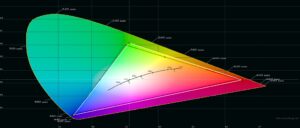
Mission accomplished: this projector has no difficulty covering this colour space.
Next, Rec.2020:
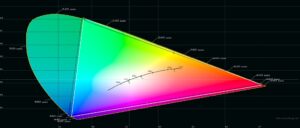
The result is similar: the projector comes very close to the boundaries of the colour space. It is therefore well suited to HDR and can draw on almost all the available colours.
This small portable projector can therefore reproduce all the colours required for SDR and HDR with a good level of accuracy, which is an excellent result for a portable projector.
Brightness
More information about brightness
Brightness is absolutely crucial for a projector. It is measured in ANSI lumens, and the values provided by manufacturers are very often higher than what can be achieved in practice.
I measure brightness with a lux meter and convert the readings into ANSI lumens according to the projected image area. This provides a real-world value.
Even a bright projector cannot compete with a television in ambient light. Natural or artificial light drastically reduces image contrast. With brightness below 1,000 ANSI lumens, the projector should be used in complete darkness.
The XGIMI Elfin Flip 4K is an RGB triple-laser projector. This means that its spectral curve consists of very narrow peaks, as shown in this graph, and that this type of light source should allow the projector to produce a very rich range of colours:
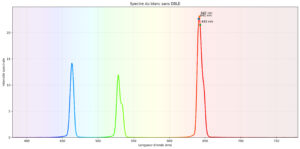
RGB triple-laser projectors are becoming increasingly common among most manufacturers, but finding one for less than €1,000 is still unusual, and this is one of the strengths of this projector.
I measured the brightness of this projector in every available picture mode and at every laser level, with the following results:
| Laser level | Standard | Movie | Vivid | Game | Sports |
|---|---|---|---|---|---|
| 1 | 285 lumens | 269 lumens | 359 lumens | 285 lumens | 285 lumens |
| 2 | 343 lumens | 327 lumens | 433 lumens | 348 lumens | 348 lumens |
| 3 | 412 lumens | 391 lumens | 512 lumens | 412 lumens | 412 lumens |
| 4 | 475 lumens | 449 lumens | 591 lumens | 475 lumens | 475 lumens |
| 5 | 538 lumens | 512 lumens | 670 lumens | 538 lumens | 538 lumens |
| 6 | 607 lumens | 575 lumens | 749 lumens | 607 lumens | 607 lumens |
| 7 | 670 lumens | 639 lumens | 823 lumens | 670 lumens | 670 lumens |
| 8 | 739 lumens | 697 lumens | 903 lumens | 739 lumens | 734 lumens |
| 9 | 802 lumens | 755 lumens | 987 lumens | 802 lumens | 797 lumens |
| 10 | 866 lumens | 823 lumens | 1 061 lumens | 871 lumens | 871 lumens |
With the laser at maximum power, the projector produces between 823 and 1,061 lumens. I would disregard the result in "vivid" mode because its colour deviation is too high, so I will use 823 lumens as the reference for an optimal image.
With 823 lumens, you can aim for an image of around 105 inches diagonally in SDR and 83 inches in HDR. A larger image will still work, but it will be darker than cinema standards recommend. If you are less demanding in this respect, you can use a larger screen.
Sharpness
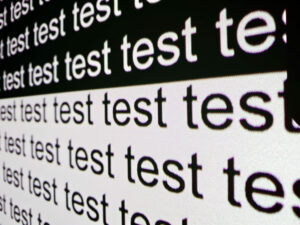
I wondered whether sharpness would be good with this DMD chip, and that is indeed the case, as you can see in the photo. Text outlines are perfectly clean, with none of the colour fringing that was sometimes visible on XGIMI MoGo projectors. The chip does show some limitations on a very large image: if you move very close to the screen, rounded letters look more pixelated than they do with a 0.47-inch chip under the same conditions.
Contrast
More information about contrast
On/off contrast measures the difference between white and black. It provides an indication of a projector's ability to reproduce dark scenes properly.
A contrast ratio below 500:1 should be considered very low, and the consequences will mainly be visible in dark scenes, where details will be lost. This matters less for sport, brightly lit films or cartoons.
A low contrast ratio does not mean that a projector is unusable. You simply need to be aware that, in films such as Alien, details in dark scenes will be harder to distinguish.
I measured contrast in every picture mode and at every laser level. A summary of the results is shown below:
| Laser level | Standard | Movie | Vivid | Game | Sports | |||||
|---|---|---|---|---|---|---|---|---|---|---|
| Brightness | Contrast | Brightness | Contrast | Brightness | Contrast | Brightness | Contrast | Brightness | Contrast | |
| 1 | 285 lumens | 1 200:1 | 269 lumens | 1 159:1 | 359 lumens | N/A | 285 lumens | N/A | 285 lumens | N/A |
| 2 | 343 lumens | 1 250:1 | 327 lumens | 1 216:1 | 433 lumens | N/A | 348 lumens | N/A | 348 lumens | N/A |
| 3 | 412 lumens | 1 345:1 | 391 lumens | 1 276:1 | 512 lumens | N/A | 412 lumens | N/A | 412 lumens | N/A |
| 4 | 475 lumens | 1 364:1 | 449 lumens | 1 308:1 | 591 lumens | N/A | 475 lumens | N/A | 475 lumens | N/A |
| 5 | 538 lumens | 1 417:1 | 512 lumens | 1 347:1 | 670 lumens | N/A | 538 lumens | N/A | 538 lumens | N/A |
| 6 | 607 lumens | 1 456:1 | 575 lumens | 1 363:1 | 749 lumens | N/A | 607 lumens | N/A | 607 lumens | N/A |
| 7 | 670 lumens | 1 588:1 | 639 lumens | 1 391:1 | 823 lumens | N/A | 670 lumens | N/A | 670 lumens | N/A |
| 8 | 739 lumens | 1 505:1 | 697 lumens | 1 389:1 | 903 lumens | N/A | 739 lumens | N/A | 734 lumens | N/A |
| 9 | 802 lumens | 1 505:1 | 755 lumens | 1 402:1 | 987 lumens | N/A | 802 lumens | N/A | 797 lumens | N/A |
| 10 | 866 lumens | 1 533:1 | 823 lumens | 1 418:1 | 1 061 lumens | N/A | 871 lumens | N/A | 871 lumens | N/A |
I also measured black levels between 0.045 and 0.1 cd/m². Black will therefore never be completely black, but not to an extent that becomes problematic.
This projector also has a dynamic contrast system that mainly reduces black luminance artificially until black is almost "switched off". When I measure contrast with this feature enabled, I obtain a ratio above 20,000:1. This is an enormous figure, but the effect on image quality is not neutral:
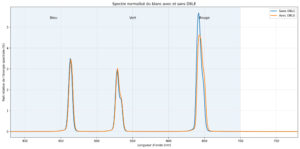
This graph shows the spectral distribution of white measured with and without dynamic contrast. It clearly shows that dynamic contrast removes a significant proportion of red, which cools the image and makes it look bluer. The effect on dark colours will be even more noticeable.
The reduction in red is not the only consequence; there is also a visible transition when dynamic contrast engages. As its name suggests, dynamic contrast is dynamic, which means that it is recalculated continuously. You may therefore notice transitions, particularly in dark scenes and when subtitles appear over a dark area.
If image quality is a priority, I recommend leaving this feature disabled. XGIMI will release software updates, so the company may improve the dynamic contrast processing in the future.
Motion compensation
More information about motion compensation (MEMC)
Many projectors operate at 60 Hz, which means that they display 60 frames per second. Many films are produced at 24 frames per second, so the source does not contain enough unique frames to fill all 60 refreshes displayed by the projector.
This often results in visible judder. Some projectors can reduce it with motion compensation, also known as MEMC. If the compensation is set too high, it creates what is known as the 'soap-opera effect', which makes the image look artificial, like television series from the 1980s.
Like most XGIMI projectors, this model is equipped with motion compensation to reduce visible judder. The system offers several levels that apply more or less interpolation to smooth the image. The medium setting should be sufficient in most situations.
Choosing a screen
More information about choosing a screen
A screen is not always necessary for a projector; it depends on the projector and the surface onto which you are projecting.
I have tested many screens, which I cover in my comparison to help you choose the type that best suits your projector and budget.
I also explain the differences between white screens, grey screens and screens designed to manage ambient light.
With this type of projector, I would recommend only one kind of screen—or no screen at all if you have a sufficiently smooth and uniform wall. This projector is not intended to be installed permanently like a home-cinema model, so pairing it with a fixed screen would partly defeat its purpose. If you still want to use a screen, I recommend a neutral white model only, because a grey screen would reduce brightness too much. This projector is not bright enough to absorb the light loss caused by a grey screen.
An inexpensive screen such as a Vevor model should be perfectly adequate:
Vevor screens
Projection screen comparison
Audio quality
More information about audio quality
I use several types of music to illustrate the projector's sound quality, but the result will always be limited by the recording equipment. Because I always use the same device, the samples can still be compared on a consistent basis.
I regularly use well-known songs protected by copyright to illustrate a projector's audio quality. YouTube may therefore block some of my videos. In that case, you can listen to the soundtracks directly on YouTube, provided that YouTube has not blocked my entire channel.
This projector does not have a particularly powerful audio system, but it is more than adequate for a model of this size. I measured between 60 and 70 dB with the volume set to 40, which is perfectly reasonable. Sound quality is generally good for a projector of this size, although it occasionally shows its limitations when it has to reproduce several very different sounds at the same time. This is nothing serious, just a small difference compared with other projectors from the brand.
Gaming
More information about gaming
To play comfortably on a projector, latency needs to be low. Latency is the delay between pressing a button on the controller and seeing the corresponding action on screen. It is measured in milliseconds and is also known as input lag.
I measure this latency with a specialised device. For fast-paced online FPS games, latency should be below 30 ms. For games in which reaction time is less important, latency below 100 ms should be suitable in most situations.
I usually test Shadowrun through GeForce NOW on my Nvidia Shield whenever possible. I am not used to playing with a controller and I am not particularly skilled, but the purpose is to demonstrate the projector's capabilities, not mine.
The XGIMI Elfin Flip 4K can become a reliable companion for a current-generation games console. It has a game mode that reduces latency below the 30 ms threshold required for fast-paced games, and it can also display a crosshair in the centre of the image to assist you in FPS games.
Bugs encountered
Conclusion
I had not reviewed a projector from the Elfin range for several years, and I now find myself testing two new models at the same time. These two projectors have almost nothing in common with the first Elfin models; they belong to a different category. This is naturally reflected in the price, but the difference from the previous generation is so substantial that they could almost have been given a different name.The main new feature is the triple-laser light source, and it is very well controlled. It provides maximum colour-space coverage for HDR films, with a level of performance that can outperform many projectors in the same price range. Colour accuracy is already very good out of the box, and only a few settings need to be adjusted to obtain the best possible image.
Contrast has also improved dramatically compared with the previous generation. It is not yet at the level of a dedicated home-cinema projector, but among portable projectors it challenges the established hierarchy and ranks near the top.
Brightness has improved as well, but this still cannot be considered a bright projector. Its real-world output limits the maximum practical image size to around 90 inches. Beyond that point, the image will begin to look too dark.
When I first read the technical specifications, I had doubts about the DMD chip and feared that its small size might affect image quality. In practice, this is not really a problem. The pixels are visible at very close range, but edges are perfectly sharp and there is no colour fringing, unlike on the basic 1080p version.
This projector is therefore a pleasant surprise. You should nevertheless remember that it is a portable projector and is neither designed nor equipped to compete with models such as the XGIMI Horizon 20. As long as you use it in the dark and keep the image size around 90 inches, it delivers a very attractive image for less than €1,000. The last triple-laser projector below €1,000 that I tested was slightly brighter, but it could not reproduce colours with the same level of accuracy.
I think its main weakness is the sound. Audio quality is not bad as long as the volume is not pushed too high, which can introduce distortion, but a single 7-watt speaker cannot provide a particularly immersive experience.
Which should you choose, the 4K version or the basic model? I would say that it depends on your budget because, at the time of writing, the basic version costs €200 less, but it is inferior to the 4K model in every respect.
Strengths
SDR and HDR colour-space coverage
Colour accuracy
Contrast
Low gaming latency
Power consumption
Operating noise
Portability
Google TV
Optical quality
Weaknesses
Brightness
Speaker power
Occasionally a little slow in the menus


A question? A remark? Feel like shouting? (not too loud)