




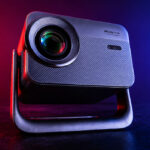
This is an entry-level projector that uses the same technology (LCD panel) as the vast majority of Chinese projectors priced under €300. This technology makes it possible to produce projectors at a more affordable price, but this type of projector will always have the same weaknesses. The purpose of this review isn’t to focus on the weaknesses but rather to provide an overview that will help you make the right choice.
The BlackView PV1000 Max is available for under €300 at Bol.com
BlackView PV1000 Max / Bol.com
Video review
Timeline
June 11, 2026: I received the projector, but since I have other tests to finish up, testing will likely begin in late June.Why this projector?
Along with the three other LCD projectors I’ve tested recently, this BlackView rounds out the lineup with its unique features. The goal is to help you make an informed choice among projectors that are quite different from one another, even though they fall within a similar price range.Unboxing
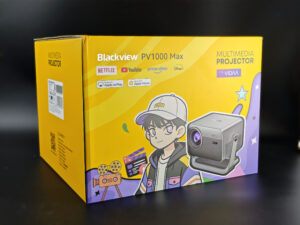
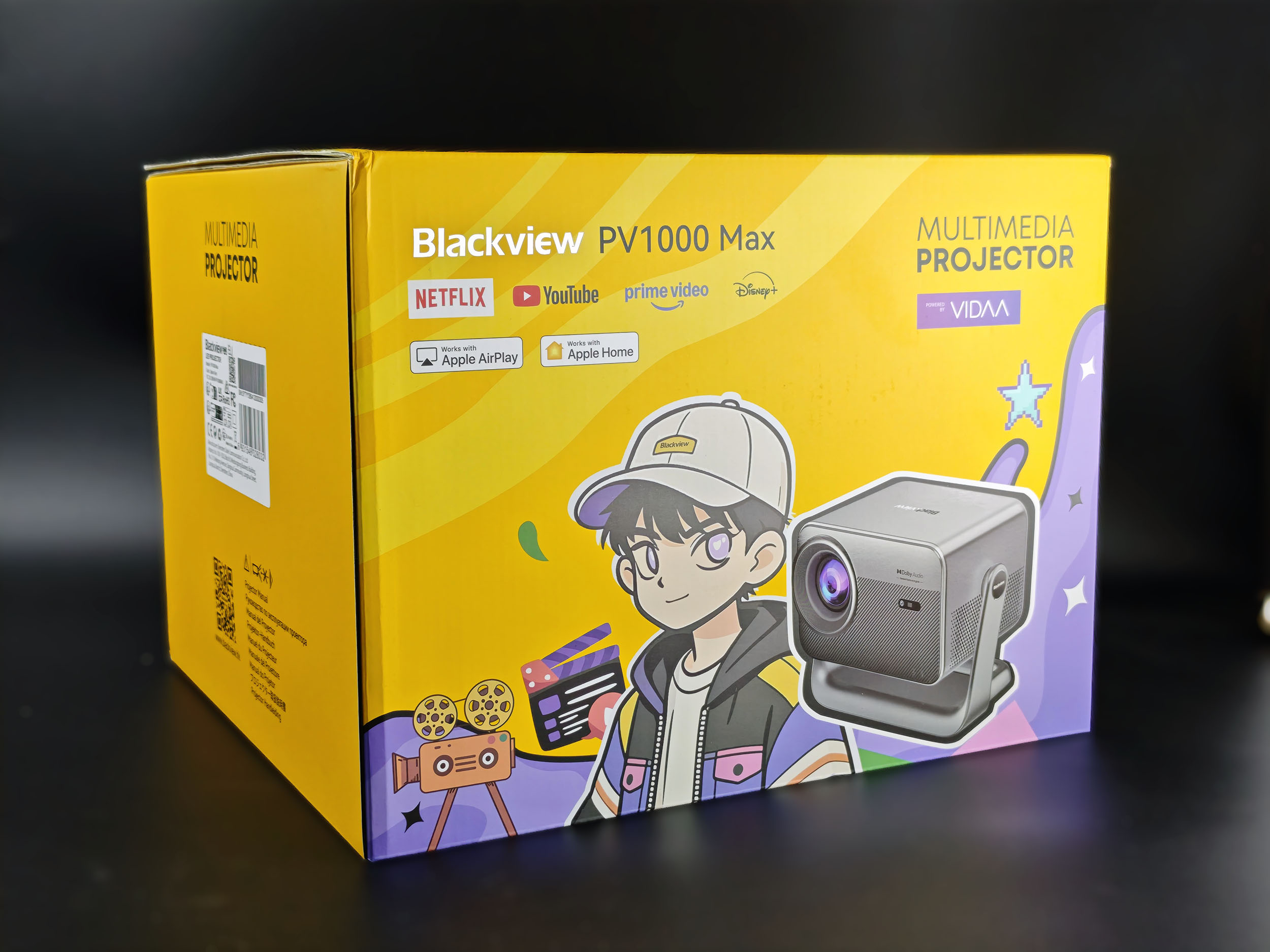
I was a little surprised by the box when I first saw it. Projectors usually come in fairly plain packaging focused on a cinematic experience; this BlackView takes a slightly more playful approach with a flashy yellow box and illustrations aimed at a younger audience. I’m not sure if the character is based on a manga or Asian cartoon character, but I thought it was fun.
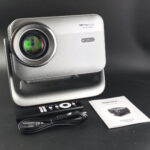
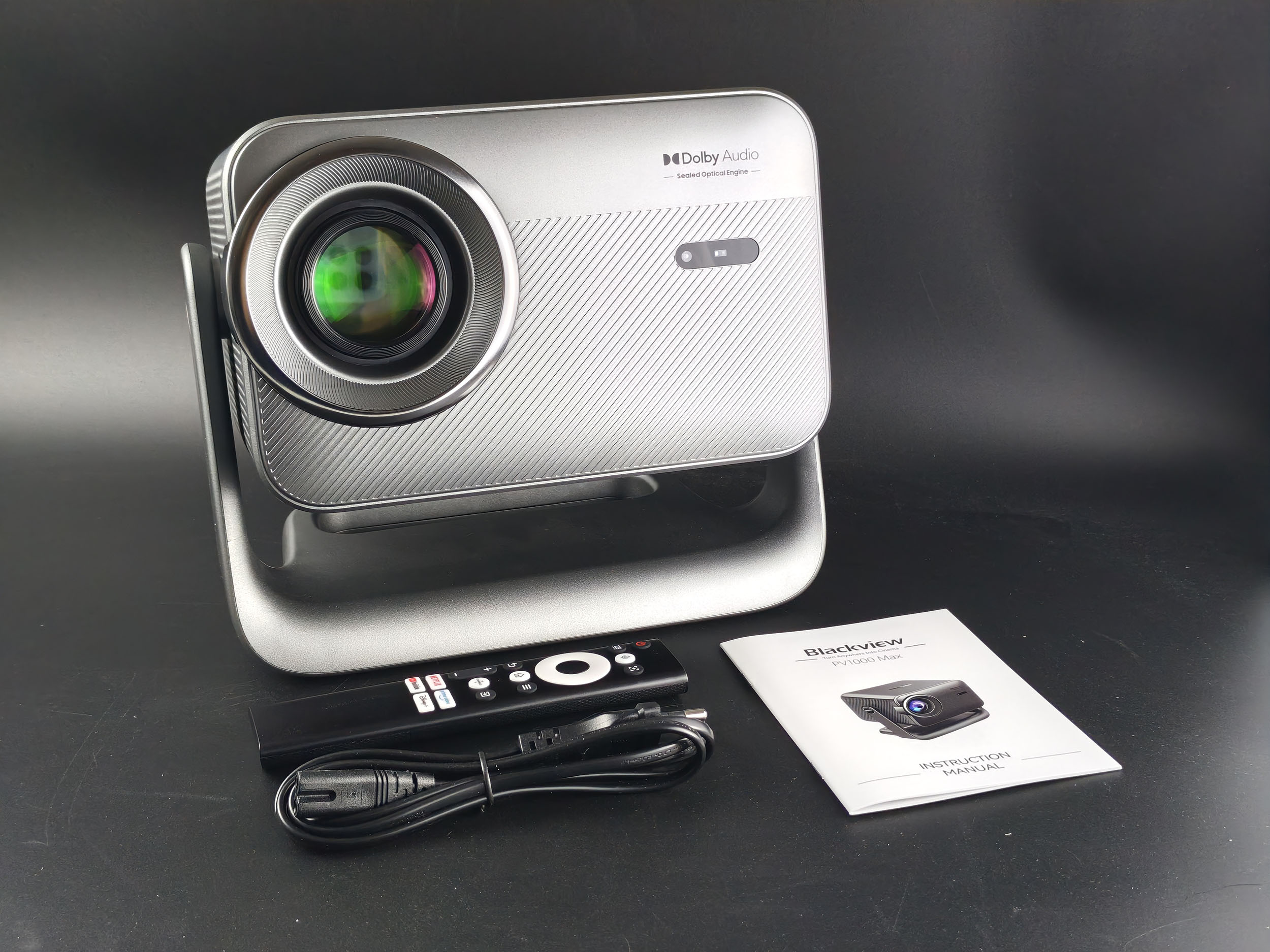
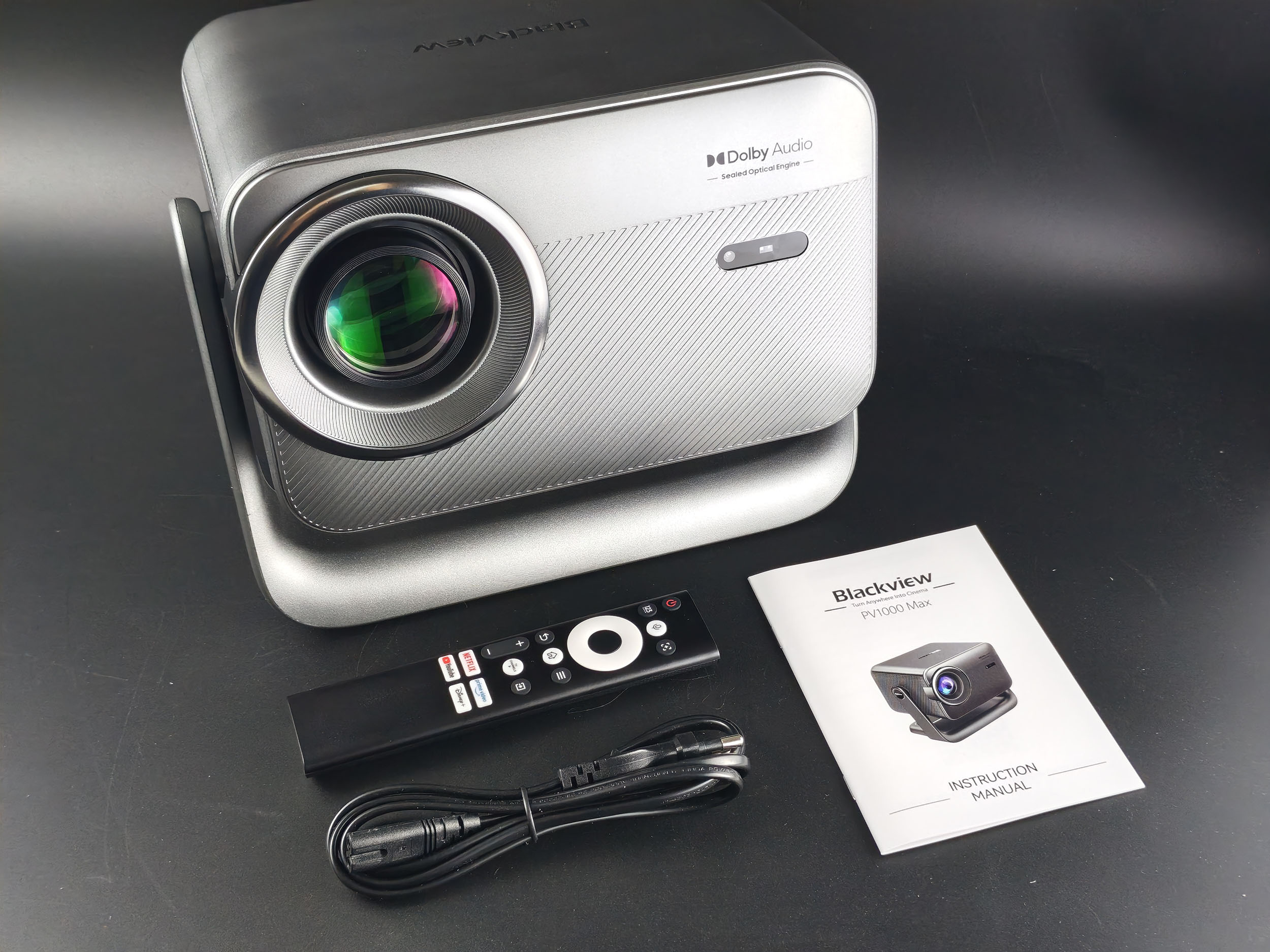
The box contains just the essentials: the projector, a power cable, a remote control (without batteries—it requires 2 AAA batteries), and a small manual.
Operating System
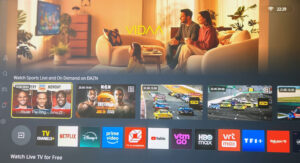
This BlackView PV1000 Max runs on VIDAA, an operating system developed by Hisense for TVs and certain projectors. It’s a real alternative to Google TV because you don’t need a Google account to use this projector. I’d never tried this interface before, but I find it really clear and intuitive. I also didn’t notice any slowdowns, as is sometimes the case with Google TV on entry-level projectors.
The apps available on VIDAA aren’t Android ports, as is sometimes the case with the unique interfaces of certain Chinese brands; they’re apps that have been specifically developed for VIDAA. The apps are therefore official apps developed by each brand (Netflix, Amazon, etc.), and your login credentials are shared only with the app you’re using. You also have the option to use a web browser, which isn’t very common on a projector. This is a real departure from Google—it can’t hurt!
In principle, you should be able to find all the most common apps; it’s just a shame that Kodi isn’t available, because that’s the app I use for my tests, so I had to run my tests from my PC connected via HDMI.
Build Quality
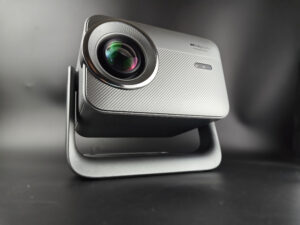
The BlackView PV1000 Max isn’t particularly innovative, but its build quality is quite good for a projector in this price range, and it’s hermetically sealed, which prevents dust from getting inside and settling in front of the light source. This is a recurring complaint with LCD projectors of this type, so it’s a definite plus for the BlackView.
The projector can be adjusted using its tilt mechanism; you can even project vertically onto the ceiling. Its base, however, isn’t rotatable like the XGIMI’s, but given the projector’s light weight, you can still reposition it however you like without much effort.
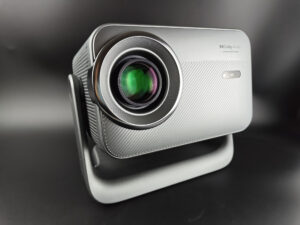
Like all projectors of this type, the optical unit is enormous. Its design gives the impression that the outer section rotates to adjust the optical zoom, but that’s not the case—the optical block is completely fixed. The light source is an LED, and the image is generated by an LCD panel.
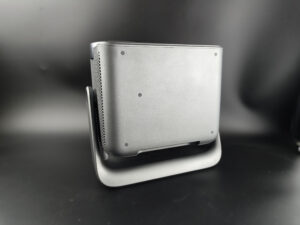
Here’s a look at the projector in a vertical 90° position.
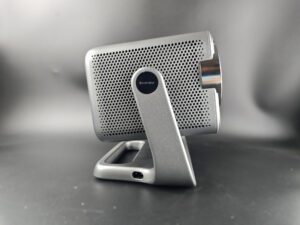
On the side is a grille designed to diffuse sound and likely also to draw in cooler air; the power connector is located at the base of the stand.
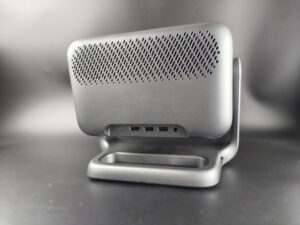
On the back, there is a heat exhaust grille with basic connectivity ports on the bottom. There are two USB 2.0 ports, one HDMI port, and a 3.5mm headphone jack.
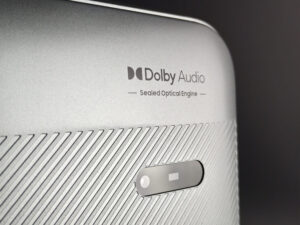
Battery Life
This projector does not have a battery.Power Consumption
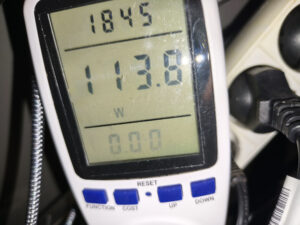
I measured a power consumption of 113 watts at maximum brightness, which is about average for this type of projector.
Operating Noise
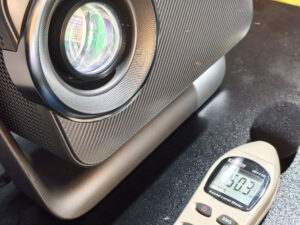
This projector isn't exactly quiet; I measured nearly 50 dB right next to it. That's about average—most projectors of this type produce the same level of noise. So you'll hear the fans running even when the projector itself isn't making any sound.
Image Quality
When it comes to image quality, I’ll deliberately limit myself to SDR because this projector’s technology isn’t designed to handle HDR. That doesn’t mean you can’t watch an HDR movie—it just means the picture won’t be optimized for HDR. It all comes down to the same issue. Entry-level LCD projectors have a more limited color gamut, so not all colors are available. As a result, colors will appear more muted than with a projector capable of displaying a wider range of colors. This likely won’t make much of a difference for less demanding content, but for recent movies, you won’t get the full cinematic experience.Colorimetry
More on colorimetry
Measuring color accuracy (colorimetry) is not a subjective matter; it is entirely quantifiable. This measurement is performed using a device (colorimeter, spectrometer, etc.) that measures the difference between the actual color and the displayed color. This difference is expressed in delta E (abbreviation: dE). A dE greater than 3 indicates a deviation perceptible to the human eye.
The dE should therefore be as low as possible, but projectors rarely have a dE below 3 right out of the box. They often range from 5 to 10; only calibration can properly adjust the colors.
For a perfect calibration, you should consult a professional. I’m sharing my settings, which are tailored to my specific situation. These settings might work for you, but there’s no guarantee—so treat them as a guide.
I measured the color accuracy of this BlackView PV1000 Max across all available settings, and unsurprisingly, I found a fairly significant color deviation, as you can see in this image.

All colors are shifted toward the red end of the spectrum, and this is actually the most favorable setting (cinema mode). If I take blue as an example, I have a Delta E of 24.4, whereas ideally it should be below 3. This doesn’t mean that blue will turn red or another color; it just means that blue will appear duller than it should, so in any image where blue is dominant, you’ll notice that this part of the image is particularly dull.
This projector isn’t better or worse than others in the same price range; it’s the same for all projectors of this type.
I’m well aware that this sounds abstract or technical, so I’ll show you an example—it’ll be easier to understand:

On the left is the image projected by the projector, and on the right is the original image. Of course, there’s always some loss inherent to the photo, but the differences are quite noticeable. The sky looks duller—which is what I was pointing out in my previous paragraph—and the blue has shifted significantly. Overall, there’s a loss of color variety. The image is still perfectly viewable but isn’t faithful to the original.
Image settings
VIDAA offers many image settings, but they have very little positive effect because the technology doesn’t allow the projector to produce a more accurate image. Calibration is useless here.
Brightness
More on brightness
Brightness is absolutely crucial for a projector. Brightness is measured in ANSI lumens, and the values provided by the manufacturer are very often higher than the actual figures.
I measure brightness with a lux meter and convert my measurements to ANSI lumens relative to the projection surface. This gives you an actual value.
Even a bright projector cannot compete with a television. Any additional light (natural or artificial) will drastically reduce your image’s contrast. With a brightness of less than 1,000 ANSI lumens, you must use the projector in total darkness.
I measured just over 400 lumens in cinema mode; standard mode is slightly brighter but still remains below 500 lumens. This is therefore quite a ways off from the advertised 1,000 lumens. This projector must therefore be used in total darkness to avoid a significant loss of contrast. A bright image will still be visible in daylight, but a dark image will be impossible to view.
Here is a bright image with a lit room on the left and a dark room on the right. The image is clearly visible, but at the cost of a loss of contrast.
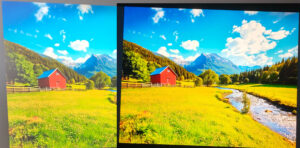
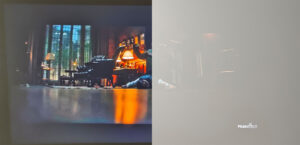
With this example of a dark image, you’ll see that watching a movie with dark scenes in a well-lit room is simply not feasible.
At this brightness level, you can aim for a 75- to 80-inch screen. Beyond this size, the image will be too dark.
Sharpness
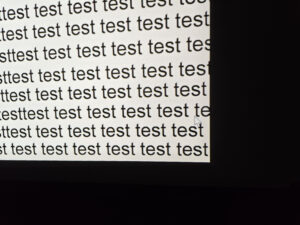
Sharpness is generally another common weakness of this type of projector, but I was pleasantly surprised by this one. There is some loss of sharpness at the edges—the same goes for brightness—but this loss is fairly limited. The optical quality is quite similar to the Xming projectors I’ve recently tested.
Contrast
More on contrast
Contrast (on/off) measures the difference between white and black. This measurement indicates a projector’s ability to render dark scenes well.
A contrast ratio below 500:1 is considered very low, and the effect will be most noticeable in dark scenes where you’ll lose detail. This is less of an issue for sports, bright movies, or cartoons.
A low contrast ratio doesn’t mean a projector is unusable; you just need to be aware that in movies like *Aliens*, the dark scenes won’t allow you to make out the details.
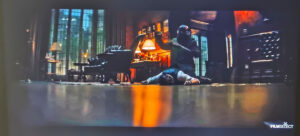
I measured a contrast ratio between 700:1 and 800:1, which is a fairly average result—it’s certainly better than many budget DLP projectors, but I’ve seen significantly better results with other LCD projectors. The problem here is the black level, which is too high (0.177 cd/m²).
Here’s my usual scene from the movie Batman. The dark areas are well-defined, but mainly because the dark areas are actually brighter. The image should have completely black areas, but that’s not the case because the black is too bright.
Motion Compensation
More information on motion compensation (MEMC)
Many video projectors use a 60 Hz refresh rate, which means they display 60 frames per second. Many films were designed to be shown at 24 frames per second. This means that for every second, the film does not have enough frames to fill the 60 frames displayed by the projector.
This usually results in a jerky image. Some projectors are able to reduce this jerkiness using a motion compensation system (also known as MEMC). If you overuse this compensation, you’ll get what’s known as the “soap opera” effect, which makes the image look a bit artificial, like TV shows from the 1980s.
Image Size and Projection Distance
More information on projection distance
The projection distance determines the image size, and the image size is determined by the projector’s throw ratio. If a projector has a throw ratio of 1.2, it will have an image width of 83 cm, possibly with a gray border.
Distance also affects brightness, as brightness decreases with the square of the distance. A projector placed 4 meters away will therefore lose four times as much brightness as a projector placed 2 meters away.
Keystone correction does not alter the projection cone; it resizes the image within the projection cone. This means that if significant correction is applied, you will see a large gray border appear around your image.
The official website does not specify the throw ratio, but I estimate it to be 1.27. This means that for every meter of distance from your screen, you get an image that is 78 cm wide. Since it is not recommended to exceed 80 inches, it is not recommended to place the projector more than 212 cm from the screen.
Screen Selection
More information on choosing a screen
A screen isn’t always necessary for a projector; it depends on the projector you choose and your projection surface.
I’ve tested numerous screens, which I detail in my comparison guide to help you choose the screen that’s best suited to your projector and your budget.
I’ll explain the differences between white screens, gray screens, and those that manage ambient light.
For projectors of this type, I doubt a screen is really necessary given the projector’s price. If you don’t have a sufficiently uniform surface, the only type of screen you should consider is a neutral white screen. At Vevor, you can choose from several entry-level screens that will work perfectly:
Vevor Projection Screen
I’ve been using a 130-inch Vevor fixed screen for a few years now, and it delivers good image quality for a screen in this price range.
Projection Screen Comparison
Audio Quality
More about audio quality
I use several types of music tracks to demonstrate the projector’s sound quality, but the playback will always be limited by the recording device. Since I always use the same device, you’ll be able to compare the differences on a consistent basis.
I regularly use well-known, copyrighted songs to demonstrate a video projector’s sound quality. As a result, YouTube sometimes decides to block my videos for these reasons. In that case, you can listen to the audio tracks directly on YouTube—provided YouTube hasn’t completely blocked my channel.
I don’t have any technical information on the audio power, but I’d guess it’s somewhere between 5 and 10 watts. The sound quality is decent for a projector in this price range. I’ll add my usual soundtrack to the video review soon, once it’s ready.
Video Games
More about video games
To play games smoothly with a projector, latency must be low. Latency is the reaction time between pressing a button on your controller and the corresponding action appearing on the screen; it is measured in milliseconds and is also known as “input lag.”
I measure this latency using a specialized device. To play fast-paced online games like first-person shooters (FPS), you need latency below 30 ms. For games where reaction time is less critical, latency below 100 ms should be sufficient for most situations.
I usually test ShadowRunner via GeForce Now on my Nvidia Shield, unless that’s not possible. I’m not used to playing with a controller, so I’m not very good at it, but the goal is to demonstrate the projector’s capabilities, not my own.
I measured a latency of 69 ms in normal mode and 59 ms in gaming mode, so there’s a slight improvement in latency when you switch to gaming mode, but it’s not enough to play games where reaction time is critical. You can easily play casual games from your game console or play games available on the projector’s operating system. In fact, there are many simple games that can be played directly on the projector using the remote control. You can also use screen casting to project your mobile games onto a big screen, but in this case, Wi-Fi latency will play a key role in the gaming experience.
Bugs Encountered
Conclusion
The BlackView PV1000 Max isn’t meant to compete with projectors that cost three or four times as much, and it would be unfair to judge it by those standards. Like most entry-level LCD projectors, it has some well-known limitations: actual brightness that falls short of the advertised figures, less-than-accurate color reproduction, average contrast, and a design that requires use in a dark room. Those seeking a high-end cinema experience or a perfectly accurate image will naturally need to look to a higher price tier.That said, this projector also has several qualities worth highlighting. Its VIDAA operating system is fast, easy to use, and features official apps—a rarity in this price range. Those who are wary of Google and its appetite for your private data will no doubt be delighted to see that no account is required to use this projector.
The sealed construction will also minimize dust-related issues that often plague inexpensive LCD projectors. I was also pleasantly surprised by the quality of its optics, with relatively consistent sharpness and less noticeable edge degradation than on many competitors.
Under ideal viewing conditions—a well-darkened room, an image size of about 75 to 80 inches, and SDR content—the BlackView PV1000 Max delivers a thoroughly enjoyable experience for watching TV shows, cartoons, YouTube videos, or sports events. It’s also a good fit for users who simply want to enjoy a large picture occasionally without investing in a much more expensive model. You can also use it to play simple games, though it’s not suitable for games that require quick reaction times.
Ultimately, the BlackView PV1000 Max is a good example of what you can reasonably expect from an LCD projector priced under €300. It doesn’t revolutionize its category, but it avoids several common flaws thanks to its well-designed interface, decent optics, and a design that’s better thought out than average. If you can accept its technical limitations and your use case aligns with this type of product, it’s a solid and balanced entry-level option.
Strengths
Operating system:
Above-average optical quality:
Quick adjustment of image size and aspect ratio:
Flexible placement thanks to its tilt mechanism:
Suitable for casual gaming:
Suitable for watching sports events on a big screen:
No bulky power supply
Weaknesses
Operating noise
Color accuracy and coverage
Must be used in the dark


A question? A remark? Feel like shouting? (not too loud)